
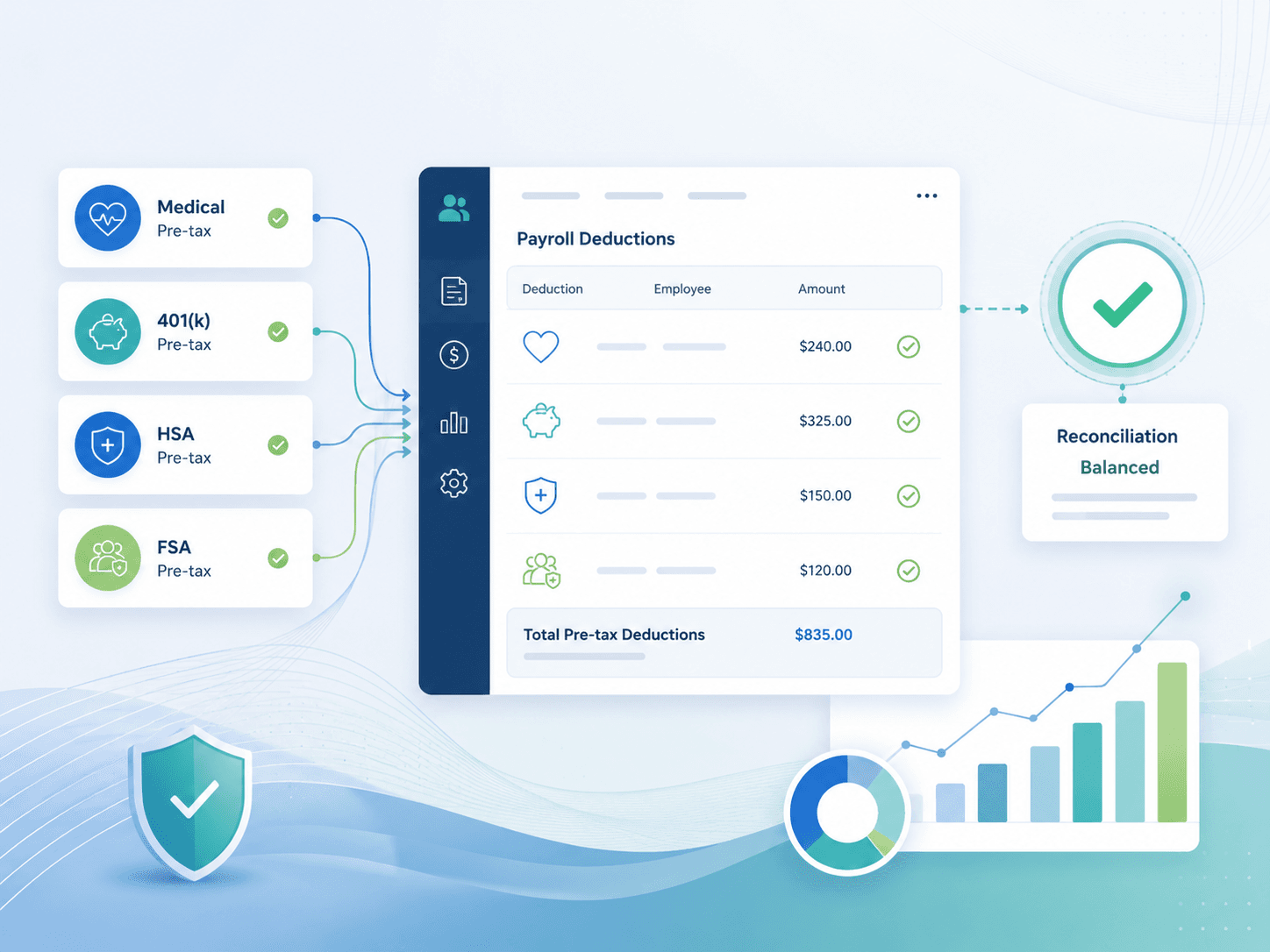
How to Reconcile Pre-Tax Deductions in Oracle Cloud Payroll (401k, HSA, FSA,
Commuter Benefits)
Payroll reconciliation is the kind of task that sounds simple on paper and turns out to be anything but. You run payroll, deductions come out of gross pay, and the amounts should match what employees elected and what vendors received. In Oracle Cloud Payroll, the gap between “should” and “does” is where pre-tax deduction reconciliation lives.
Pre-tax deductions — 401(k) contributions, HSAs, FSAs, commuter benefits — reduce taxable wages and require precise tracking across multiple systems. A single mismatch between the payroll register, the benefits administration platform, and the vendor file can cascade into a compliance issue, an employee grievance, or an 80% time-consuming manual resolution effort (per data from the APA’s 2025 Payroll Benchmarking Report).
This article covers the complete reconciliation workflow for pre-tax deductions in Oracle Cloud Payroll, the specific reports and element entries you need to watch, and how to move from manual spreadsheet checks to an automated exception-based process.
Why Pre-Tax Deduction Reconciliation Is Different
Not all deductions are created equal. Post-tax deductions (garnishments, voluntary after-tax contributions) are mechanically simpler because they don’t affect taxable wages. Pre-tax deductions are different because they interact with multiple Oracle Cloud Payroll calculation dimensions simultaneously:
- Gross pay — The base upon which the deduction
percentage or flat amount is calculated. - Taxable gross — What gets reduced by the pre-tax
deduction amount. - Employer tax liability — FICA, FUTA, and SUI
savings tied to pre-tax deductions. - Vendor remittance — The actual dollar amount that
must match what the third-party administrator (Fidelity, WageWorks,
Optum, etc.) expects.
A 2024 survey by the Global Payroll Management Institute found that 47% of organizations using enterprise cloud payroll systems still rely on manual spreadsheet reconciliation for pre-tax deductions, and 62% of those have caught a material error only after vendor rejection or employee complaint — not during their own reconciliation cycle.
The Core Data Sources in Oracle Cloud Payroll
Before you can reconcile, you need to know where the data lives. Oracle Cloud Payroll surfaces deduction activity through several standard reports and data extracts:
| Data Source | What It Contains | Use in Reconciliation |
|---|---|---|
| Payroll Register Report | Line-level employee earnings, deductions, taxes, and net pay per payroll run | Primary source for deduction amounts per employee per period |
| Payroll Activity Report | Summarized view of all payroll results including element entry totals | Cross-check totals against vendor remittance files |
| Deductions Card (Person Management) | Per-employee elected deduction amounts and statuses | Verify that current period deductions match active elections |
| Payroll Relationship Balance | Year-to-date running balances for each element (e.g., YTD 401(k) deferral) | Validate cumulative totals against vendor YTD figures |
| Element Entry Report | Raw assignment data showing which elements are active across the workforce | Detect orphan or duplicate element entries |
| Vendor Remittance File | Outbound file sent to the third-party administrator | Compare per-period deduction totals against what the vendor received |
Step-by-Step Reconciliation Process
Step 1: Extract Deduction Data from Oracle Cloud Payroll
Run the Payroll Register Report for the period you are reconciling. Filter by the element classifications that correspond to your pre-tax deduction types:
- 401(k) pre-tax — Typically the element
401k Pretaxor401k Employee Pre-tax - HSA pre-tax — Element
HSA Employee Pre-tax - FSA (healthcare / dependent care) — Elements like
HC FSA Pre-tax,DC FSA Pre-tax - Commuter (transit / parking) — Elements such as
Commuter Transit Pre-tax,Commuter Parking Pre-tax
Export the register to a format you can analyze — CSV, XLSX, or direct extract into a reconciliation tool. The key columns are: Employee ID, Deduction Type, Deduction Amount, and YTD Deduction Amount.
According to a 2025 benchmarking report from the PayrollOrg (formerly APA), organizations that reconcile within 3 business days of each payroll run reduce deduction-related error resolution time by an average of 71% versus those that reconcile monthly or quarterly.
Step 2: Compare Payroll Register to Benefits / Vendor File
This is where the manual process breaks down for most teams. You are comparing:
- Per-period deduction totals from the Payroll
Register
- Per-period deduction totals from your benefits administrator or vendor portal
The comparison should match at the individual employee level, not just at the aggregate. An aggregate match can hide one employee being shorted $200 while another is over-deducted $200.
Common mismatches in this step include:
- 401(k) cap issues — An employee hit the IRS annual
deferral limit ($23,000 for 2024; $23,500 for 2025) mid-period, and
Oracle Cloud Payroll auto-stopped the deduction, but the vendor file was
already generated with the expected ongoing amount. - HSA contribution limit overlap — Employer and
employee combined contributions exceeded the 2025 IRS maximum ($4,300
individual; $8,550 family including catch-up), causing an Oracle system
block that the vendor didn’t account for. - Late enrollment effective dates — An employee
enrolled mid-month in the benefits system but the Oracle element entry
didn’t activate until the next payroll period.
Step 3: Validate Year-to-Date Balances
Use Oracle’s Payroll Relationship Balance to compare YTD deduction amounts against the vendor’s YTD records. This catches errors that per-period checks miss:
- Plan year vs. calendar year misalignment — FSAs and
HSAs operate on a plan year, but Oracle Cloud Payroll typically
calculates based on the calendar or fiscal year defined in the payroll
period schedule. If these don’t align, YTD totals can drift. - Carryover amounts — HSA and FSA carryover balances
must be excluded from current-year deduction reconciliation.
A 2024 PwC Health and Well-being Touchstone Survey noted that 31% of midsize employers (500–5,000 employees) reported at least one HSA or FSA contribution error per year that required a correction after the fact.
Step 4: Audit Element Entry Assignments
Go to Person Management > Manage Element Entries and run an audit on your pre-tax deduction element entries. Look for:
- Duplicate entries — Employee has two active
401k Pretaxentries, one at 6% and one at 10%. Oracle will
typically process the first entry found, not necessarily the one you
expected. - Expired / terminated entries — Employee terminated
last period but the deduction element entry was never end-dated. - Missing entries — New hire was enrolled in benefits
by HR but the Oracle element entry was never created.
The Element Entry Report filtered by element classification >
Pre-tax Deductions gives you a full workforce view in a
single output.
Step 5: Investigate and Document Exceptions
Every mismatch needs a root cause and a documented resolution path. Common Oracle Cloud Payroll exception categories for pre-tax deductions include:
| Exception Type | Typical Root Cause | Resolution |
|---|---|---|
| Amount mismatch (deduction < vendor) | Employee hit IRS cap; deduction auto-stopped | Confirm cap reached; adjust vendor file |
| Amount mismatch (deduction > vendor) | Mid-period election change not synced | Back-out over-deduction and true-up vendor |
| Missing employee (registry but no entry) | Element entry never created | Retroactively add entry; correct employee’s taxable wages |
| Duplicate deduction | Two active element entries for same type | End-date the extra entry; refund employee if double-deducted |
| Rate / percent off | Element entry formula modified but not recalculated | Recalculate payroll; confirm formula revision |
The Manual Reconciliation Trap
If Steps 1–5 sound reasonable as a process, the question becomes: how long does it take?
The average payroll team processing 2,500 employees across four pre-tax deduction types (401k, HSA, FSA, commuter) spends approximately 6–8 hours per payroll run on reconciliation alone, according to operational data reported by Camptra Technologies’ enterprise clients. That time multiplies during peak cycles — year-end, open enrollment transitions, and the IRS limit increase dates in January.
The real operational cost isn’t just the hours. It’s the delay between the error occurring and it being detected. Manual Excel-based reconciliation is a point-in-time check. Errors that happen the day after your reconciliation are invisible until the next cycle.
How Camptra’s Payroll Recon Toolset Pre-Tax Deductions Module Automates This
The Pre-Tax Deductions module within Camptra’s Payroll Recon Toolset — is purpose-built to eliminate the manual spreadsheet workflow described above.
Here is how it works in practice:
Source ingestion — Camptra’s Payroll Recon Toolset accepts your standard Oracle Cloud Payroll extracts (Payroll Register, Payroll Activity, Payment Register, Time and Costing) in their native format. No custom extract configuration needed.
Pre-built mapping for pre-tax elements — The module recognizes 401(k), HSA, FSA, and commuter benefit element classifications automatically. It applies your configured thresholds and tolerance rules.
Automated cross-reference — The reconciliation engine compares per-period deduction amounts against element entry assignments, YTD balances, and vendor file expectations in a single pass — what takes 6–8 hours manually completes in under 5 minutes.
Exception output — Instead of a multi-tab spreadsheet, Camptra’s Payroll Recon Toolset surfaces a structured exception list showing exactly which employees, which deduction types, and which periods have mismatches, with deviation amounts and root cause categorization.
Audit-ready trail — Every reconciliation run is timestamped and exportable, supporting SOX, SOC 2, and internal audit requirements without rebuilding pivot tables.
The module reconciles over 50 million employee records across Camptra’s enterprise client base, with a 99.91% match rate on automated comparisons.
The Business Case for Automated Pre-Tax Deduction Reconciliation
The ROI math on moving from manual to automated reconciliation is straightforward:
| Cost Factor | Manual (Excel) | Automated (Camptra’s Payroll Recon Toolset) |
|---|---|---|
| Time per payroll run (2,500 ee) | 6–8 hours | 5 minutes |
| Error detection delay | Up to 14 days | Real-time |
| Exception resolution accuracy | Varies by analyst | Standardized taxonomy |
| Audit readiness | Rebuild each cycle | One-click export |
| Overhead during peak cycles | Significant increase | Flat effort curve |
According to a 2024 analysis by Everest Group, enterprise payroll teams that implement automated reconciliation tools reduce deduction-related rework costs by an average of 63% and recover an estimated 8–12 payroll analyst hours per cycle.
Final Thoughts
Pre-tax deduction reconciliation in Oracle Cloud Payroll is not a simple “do the numbers match” exercise. It involves IRS limits, plan year complexities, multi-system data sources, and employee-level precision. The teams that do it well catch errors within days and maintain clean audit trails. The teams still relying on manual Excel workflows are one missed cell reference away from a compliance exposure.
The good news is that the data you need already exists in your Oracle Cloud Payroll extracts. The question is whether you’re spending your payroll analyst hours hunting for mismatches or having the system surface them automatically.
Frequently Asked Questions
Answers to common payroll reconciliation questions for Oracle Cloud Payroll teams evaluating a more controlled, exception-based process.
How often should I reconcile pre-tax deductions in Oracle Cloud Payroll?
Every payroll run. Organizations that reconcile within 3 business days reduce deduction error resolution time by 71% compared to monthly or quarterly reconciliation schedules. (PayrollOrg, 2025 Benchmarking Report)
What is the most common pre-tax deduction error in Oracle Cloud?
The most frequent error is a 401(k) cap mismatch — an employee hits the IRS annual deferral limit mid-period, Oracle automatically stops the deduction, but the vendor file was already generated with the expected ongoing amount. This creates a cascading discrepancy until the file is manually corrected.
Can payroll running in multiple legal employers be reconciled together?
Yes — but only if your reconciliation tool supports multi-legal-employer comparison. Oracle Cloud Payroll partitions data by legal employer, so a manual Excel reconciliation must account for each separately. Camptra’s Payroll Recon Toolset flattens multi-LE extracts into a single reconciliation view.
How do I handle CATCH-UP contributions in reconciliation?
Catch-up 401(k) contributions (employees aged 50+, additional $7,500 for 2025) often use a separate element entry or formula modifier. These must be reconciled separately because they have a different IRS limit and may have different vendor file treatment. The Pre-Tax Deductions module detects catch-up elements and reconciles them as a distinct category.
What about employer match reconciliation?
Employer match (e.g., 100% up to 4%) is a separate element classification (employer-paid, not employee pre-tax). It should be reconciled separately since the source of funds and tax treatment are different. Camptra’s Payroll Recon Toolset treats employer contributions as a distinct reconciliation module.
Does reconciliation include Section 125 cafeteria plan deductions?
If your Section 125 deductions flow through Oracle Cloud Payroll as pre-tax deduction elements, yes. Premium-only plans (POP), supplemental life, and voluntary benefits administered under Section 125 are reconcilable as pre-tax deductions, provided they map to the correct Oracle element classifications.
What reports from Oracle Cloud Payroll do I need for pre-tax deduction reconciliation?
The four essential reports are: Payroll Register Report, Payroll Activity Report, Element Entry Report, and Payroll Relationship Balance. Most organizations also pull the Vendor Remittance File from the benefits administration system as the external comparison point.
Can I reconcile pre-tax deductions without touching the payroll register?
Not reliably. The Payroll Register Report is the authoritative source for per-period deduction amounts in Oracle Cloud Payroll. Any reconciliation that skips this step risks missing mid-period adjustments, recalculations, or retroactive corrections that only appear in the register.
