
Payroll Activity Report vs Payroll Register vs Payment Register: A Guide to Reconciling All Three
Introduction
If you run Oracle Cloud Payroll, you live in a world of three reports: the Payroll Activity Report, the Payroll Register, and the Payment Register. On paper, these three should tell the same story — Gross Pay, deductions, taxes, and Net Pay for a given period. In practice, they sometimes disagree, and the disagreements usually come down to one thing: when in the payroll lifecycle each report is generated.
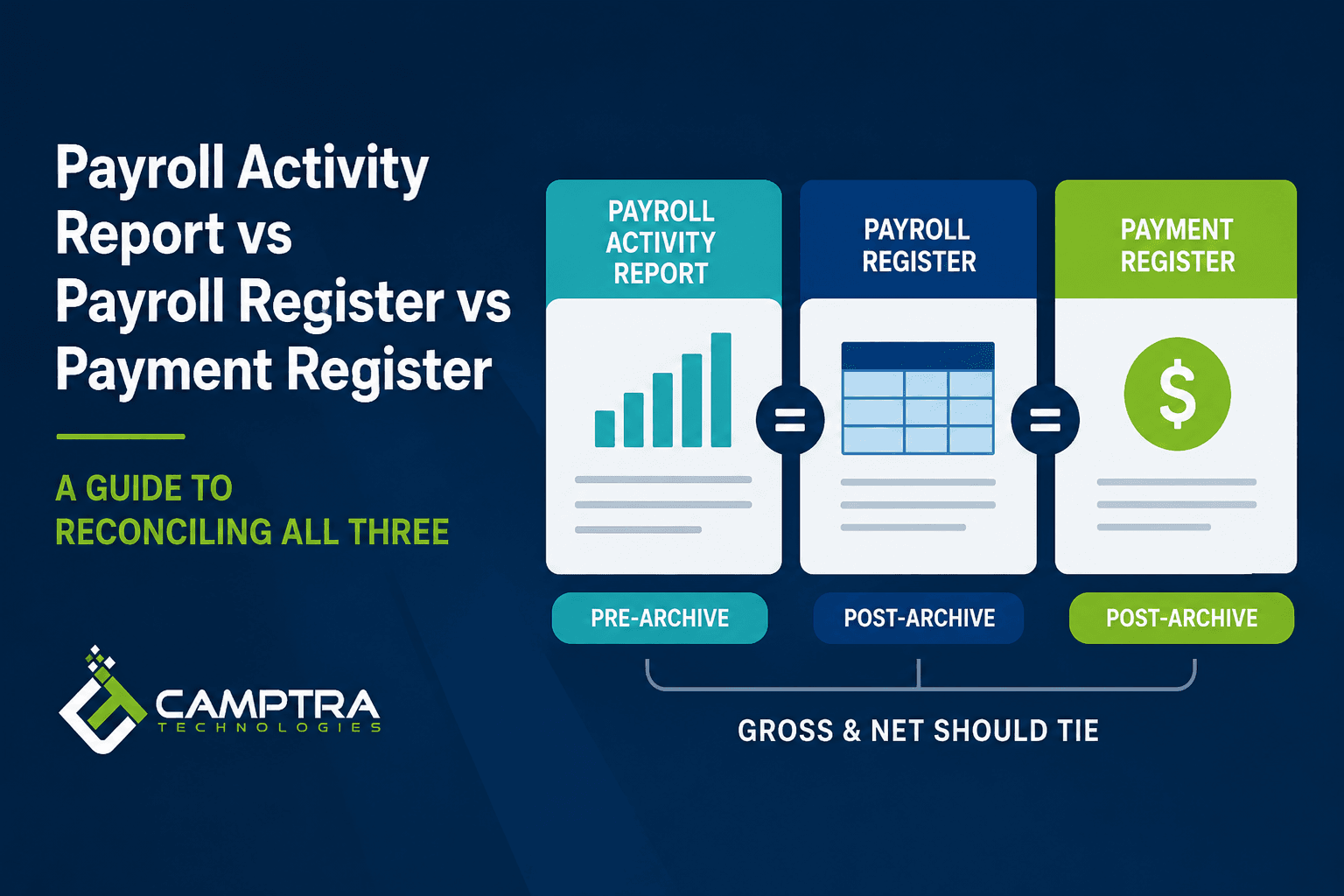
The single most important distinction to internalize is this. The Payroll Activity Report is a pre-archive report. Think of it as your initial gross-to-net view, generated straight from the calculated payroll results. The Payroll Register and Payment Register are both post-archive reports. They’re built off the Archive Periodic Payroll Results process and represent the finalized, audit-ready view of the run.
If you compare a pre-archive view against a post-archive view without understanding what each one is doing, you will chase phantom variances. This guide walks through what each report actually contains, where Gross and Net should tie across all three, the real Oracle-specific reasons they sometimes don’t, and how to automate the reconciliation using tools like Camptra Technologies’ Payroll Recon Toolset Audit module.
Section 1: Understanding the Three Reports
1.1 The Payroll Activity Report (Pre-Archive)
The Payroll Activity Report is a pre-archive report. It is your initial gross-to-net view, generated against the live payroll results immediately after the calculation. Because it reads directly from the calculated balances rather than archived data, it’s the broadest view of what happened during the run — including things that may never make it into the archive.
What it contains:
- Earnings (regular, overtime, bonus, commission, imputed earnings, etc.)
- Pre-tax and post-tax deductions
- Tax calculations
- Employer costs and contributions
- Both Gross and Gross Pay balance categories
- Both Net and Net Pay balance categories
- By default, balance adjustments in addition to payments
Gross vs Gross Pay (and Net vs Net Pay): The Activity Report exposes both flavors of the totals. One includes imputed earnings (non-cash items like GTL, personal use of company car, etc.) and one excludes them. When you reconcile, make sure you’re comparing the same flavor on both sides of the comparison — Gross to Gross, or Gross Pay to Gross Pay. Mixing them is a common source of self-inflicted variance.
Summary vs Detail mode: The Activity Report can be run in Summary mode — totals at the balance category and balance level only, with no employee-level detail — or in Detail mode, which gives you the full employee-by-employee breakdown. The same is true of the Payroll Register and Payment Register.
When to use it: The Activity Report is your working view during the payroll cycle. It’s where you check the math before the archive locks the run down for sign-off.
1.2 The Payroll Register (Post-Archive)
The Payroll Register is a post-archive report. It runs against the data captured by the Archive Periodic Payroll Results process and is your final audit report after everything has been finalized. This is what you hand to auditors, what you distribute to managers for sign-off, and what should match the payroll you actually paid.
What it contains:
- The same balance categories as the Activity Report — Earnings, Deductions, Taxes, Employer Liabilities
- Both Gross and Gross Pay (with/without imputed earnings)
- Both Net and Net Pay (with/without imputed earnings)
- Anything that was successfully archived for the period
The key tie-out: The Gross Pay on the Payroll Activity Report and the Gross Pay on the Payroll Register should match. The same is true of Net Pay. If they don’t, something was either dropped during archive or picked up by Activity that the archive never saw.
Summary vs Detail mode: Like the Activity Report, the Payroll Register can be run in Summary mode (balance category and balance level totals, no employee detail) or Detail mode. It is not simply a “compressed” version of the Activity Report — it is a separate report built from a separate (archived) data source, with its own summary and detail run options.
1.3 The Payment Register (Post-Archive)
The Payment Register is also a post-archive report. It is a register of payments made to employees — the direct deposits issued and checks cut.
What it contains:
- Payment method (direct deposit, check, cash)
- Net payment amount only — there is no Gross on the Payment Register
- Payment status
- Check numbers for physical checks
- Bank account details (truncated for security)
The key tie-out: The Net Pay on the Payroll Activity Report, the Net Pay on the Payroll Register, and the total payments on the Payment Register should all tie back to the same number.
Summary vs Detail mode: The Payment Register can also be run in Summary mode, in which case it does not provide payment amounts at the employee level — only totals.
1.4 What Should Tie — At a Glance
| Comparison | Activity Report | Payroll Register | Payment Register |
|---|---|---|---|
| Gross / Gross Pay | ✓ | ✓ (should match Activity) | — (not present) |
| Net / Net Pay | ✓ | ✓ (should match Activity) | ✓ (Net only; should match the other two) |
| Lifecycle stage | Pre-archive | Post-archive | Post-archive |
| Summary mode available | Yes | Yes | Yes |
Section 2: Why These Reports Differ — The Real Oracle-Specific Causes
Once you understand the pre-archive vs post-archive distinction, the divergence patterns make sense. The Activity Report will sometimes see things the archive never captured, or it will see things the next archive captured differently. Below are the failure modes we see most often in Oracle Cloud Payroll.
2.1 Orphan Quick Pay
This is the classic. A QuickPay is run for an employee — for an off-cycle bonus, a termination payout, anything — and the user forgets to roll it back when it’s no longer needed. Because the Activity Report is pre-archive, it picks up that QuickPay result. When the user then runs the full payroll flow, Oracle skips that employee for the period because they already have a result. If that orphan QuickPay was never properly included in an archive, the Payroll Register and Payment Register will not reflect those earnings, while the Activity Report will.
The variance pattern: Activity Gross/Net is higher than Register and Payment Register by the QuickPay amount for that employee. Resolution: locate the orphan QuickPay, decide whether to keep it (and archive it properly) or roll it back.
2.2 Elements That Fail to Archive
Certain elements have a history of not getting archived cleanly. The most common culprit is child support fees — the small admin fees that often piggyback on garnishment orders. We’ve seen them show on the Activity Report but drop off the Register simply because the archive didn’t pick them up.
Another structural cause is a Results element that isn’t linked properly. If an element’s results aren’t flowing to the right balances, the archive won’t include them either, and you’ll see Activity-vs-Register variances that look like math errors but are really configuration issues.
When you see element-level variance between Activity and Register, do not assume the math is wrong. Check the element’s archive eligibility and its Results element linkage first.
2.3 Balance Adjustments Settled Outside the Payroll Payment
This one is subtle and very common. A lot of companies run balance adjustments to correct YTD balances, but they don’t use the balance adjustment itself to pay or recoup the difference. Instead, any cash movement to or from the employee happens through a separate non-payroll payment element.
When that’s the workflow, there’s always a risk that the archive doesn’t handle the balance adjustment cleanly. The result: the balance adjustment shows on the Payroll Activity Report but does not reflect on the Payroll Register. From a reconciliation standpoint, it looks like the Register is “missing” an amount that exists on Activity.
The fix: when you’re reconciling, run both the Payroll Activity Report and the Payroll Register with the “Payments” option only, not the default — which includes both Payments and Balance Adjustments. That isolates the cash side of the run and removes balance-adjustment noise from the comparison. Once Payments-only is reconciled, you can come back to balance adjustments as a separate workstream.
2.4 Comparing the Wrong Balance Categories
Because both the Activity Report and the Payroll Register expose Gross and Gross Pay separately (and the same for Net and Net Pay), it’s easy to compare apples to oranges. Gross typically includes imputed earnings and Gross Pay typically excludes them — but the practical point is just that the two columns are not the same number, and the inclusion/exclusion of imputed earnings is the difference. Before you investigate a variance, make sure both sides of the comparison are pulling from the same balance.
Section 3: Step-by-Step Reconciliation Process
Step 1: Gather Your Source Documents
Run all three reports against the same payroll, the same period, and the same pay group:
- Payroll Activity Report — pre-archive, your initial gross-to-net view.
- Payroll Register — post-archive, your finalized audit view.
- Payment Register — post-archive, your record of payments issued.
Pro tip: Run the Activity Report and the Payroll Register with the Payments-only option, not the default. This excludes balance adjustments and gives you a clean cash-side comparison.
Step 2: Reconcile Gross Pay (Activity vs Register)
- Pull Gross Pay from the Payroll Activity Report.
- Pull Gross Pay from the Payroll Register.
- They should match.
If they don’t, in order of likelihood: orphan QuickPay (Section 2.1), elements that failed to archive (Section 2.2), or a balance adjustment leaking into the comparison because you ran the default option instead of Payments-only (Section 2.3).
Step 3: Reconcile Net Pay (Activity vs Register)
- Pull Net Pay from the Payroll Activity Report.
- Pull Net Pay from the Payroll Register.
- They should match.
Same diagnostic logic as Step 2. If Gross ties but Net doesn’t, narrow in on the deduction and tax balances.
Step 4: Reconcile Net Pay Across All Three (Activity vs Register vs Payment Register)
- Activity Report Net Pay.
- Payroll Register Net Pay.
- Payment Register total payments.
All three should tie to the same number. The Payment Register only carries Net (there is no Gross), so this is the only three-way tie-out point for the cash side.
Step 5: Drill Down to Exceptions
If the totals don’t tie, move from aggregate to employee level. Compare employee Net on the Register to the employee’s payment(s) on the Payment Register. Employees with multiple direct deposit accounts will appear as multiple payment rows — sum them before comparing.
For Activity-vs-Register variance at the employee level, the diagnostic order is: orphan QuickPay → un-archived elements (child support fees, Results element linkage) → balance adjustments showing because Payments-only wasn’t selected.
Step 6: Document and Resolve
Every exception needs a documented resolution path:
| Exception Type | Likely Cause | Resolution |
|---|---|---|
| Activity Gross/Net > Register Gross/Net for a specific employee | Orphan QuickPay not rolled back; employee skipped from full run | Locate the QuickPay, decide to archive or roll back |
| Activity total includes element values missing from Register | Child support fees or other elements not archived; Results element linkage | Review element archive eligibility and Results element configuration |
| Activity > Register by a balance-adjustment-shaped amount | Balance adjustment archived improperly; non-payroll payment element used to settle | Re-run both reports with Payments-only option; reconcile balance adjustments separately |
| Register Net ≠ Payment Register Net | Failed payment, payment method change, or off-cycle activity | Investigate at employee level; reissue or correct payment |
| Gross matches but Gross Pay doesn’t (or vice versa) | Imputed earnings comparison mismatch | Confirm both sides pull the same balance category |
Section 4: The Manual Reconciliation Trap
Most payroll teams reconcile these reports manually. The typical workflow:
- Export all three reports.
- Build pivots to aggregate Activity to the employee level.
- Use VLOOKUP or XLOOKUP to compare Activity, Register, and Payment Register totals.
- Investigate every row with a non-zero variance.
- Repeat every payroll period.
For a 500-employee payroll, this takes hours per cycle. For multi-pay-group enterprises, it can stretch across the better part of a day — and that’s before you’ve actually diagnosed the variances, only flagged them. A single wrong cell reference or a hidden row can mask a material payroll error.
Section 5: Automating the Three-Way Reconciliation
The Camptra’s Payroll Recon Toolset Audit Module from Camptra Technologies was built specifically for this three-way reconciliation challenge in Oracle Cloud Payroll. Here’s how it maps to the process above.
What Camptra’s Payroll Recon Toolset Automates
| Manual Step | Camptra’s Payroll Recon Toolset Automation |
|---|---|
| Pull reports from Oracle Cloud | Native Oracle Cloud integration via BI Publisher / OTBI |
| Align balance categories across the three reports | Configurable balance mapping (Gross, Gross Pay, Net, Net Pay) |
| Compare Activity vs Register (Gross and Net) | Built-in comparison engine with configurable thresholds |
| Compare Register vs Payment Register (Net) | Payment-level comparison with exception flagging |
| Isolate Payments vs Balance Adjustments | Run-option awareness — flags balance-adjustment-driven variance separately |
| Drill into exceptions | Structured output with drill-down to source rows |
| Document resolutions | Audit trail with sign-off workflow |
The Three-Way Comparison in Practice
When you run the Audit Module for a payroll period, Camptra’s Payroll Recon Toolset:
- Ingests all three reports from Oracle Cloud — Activity (pre-archive), Register (post-archive), Payment Register (post-archive).
- Aligns balance categories so Gross compares to Gross and Net compares to Net, with imputed earnings handled consistently.
- Validates Gross Pay by comparing the Activity Report against the Register.
- Validates Net Pay three ways — Activity, Register, and Payment Register.
- Flags exceptions by likely cause: orphan QuickPay, un-archived elements, balance-adjustment leakage, payment-side variance.
- Delivers an exception report with source document references back to the original Oracle Cloud reports.
Real-World Results
SRI International, a nonprofit research institute with complex multi-entity payroll, reduced their reconciliation effort by 80% using Camptra’s Payroll Recon Toolset. “The time-to-pay comparison has reduced our manual review effort by 80%,” said Juby Nand, Payroll Manager at SRI International. “This simple report has been a game changer.”
Cottage Health, a California-based healthcare system, reported similar gains. “Tasks that used to take many manual hours are now completed with ease and accuracy,” said Vanessa Fraser, Payroll Manager.
Section 6: Frequency and Best Practices for Reconciliation
How Often Should You Reconcile?
- Every payroll period: Full three-way reconciliation — Activity vs Register vs Payment Register.
- Each payroll run within a period: At minimum, reconcile Register vs Payment Register after each payment run.
- After any off-cycle or QuickPay run: Reconcile the off-cycle activity against both the Register and Payment Register immediately — this is where orphan QuickPays surface.
- Quarterly: Deep reconciliation that includes GL posting verification.
- Year-end: Comprehensive reconciliation covering YTD totals, tax form accuracy, and benefit plan limit checks.
Operational Best Practices
- Standardize report parameters. Save the Activity Report and Payroll Register run templates with the Payments-only option pre-selected so balance adjustments don’t leak into your tie-outs by accident.
- Be explicit about Gross vs Gross Pay. Pick one and stick to it for your standard reconciliation — and document the choice so the next person doesn’t guess.
- Treat orphan QuickPays as a known failure mode. Build a recurring step in your payroll checklist: “Confirm no orphan QuickPays exist before archiving.”
- Verify element archive eligibility annually. Especially for child support fees and any element where you’ve added or changed a Results element linkage.
- Reconcile balance adjustments separately. Don’t try to fold them into the Activity-vs-Register cash tie-out — isolate them as their own workstream.
- Involve both payroll and finance. The Activity Report is a payroll artifact; the Payment Register is consumed by treasury. Joint review catches interpretation errors.
- Automate where possible. If you’re reconciling more than 500 employees manually every period, the ROI on automation is immediate.
Section 7: How Each Report Supports Broader Audit and Compliance
Payroll Activity Report for In-Cycle Review
Because it’s pre-archive, the Activity Report is the right place to find and fix issues before the run is locked down. It’s also the report where orphan QuickPays and un-archived elements first become visible — anything that doesn’t make it past the archive is, by definition, going to disappear on the Register.
Payroll Register for Approvals and Audit
The Register is the post-archive audit artifact. Payroll managers sign off against the Register, and external auditors rely on it because it represents a finalized, locked view of the period. Use the Register as the official record of “what we approved” and tie the Payment Register back to it.
Payment Register for Treasury
The Payment Register connects payroll to your banking partners. Treasury teams use it to:
- Confirm total cash outflow before settlement.
- Investigate failed or returned payments.
- Reconcile bank statements to payroll payments.
Conclusion
The Payroll Activity Report, Payroll Register, and Payment Register are not redundant — they’re three views taken at different points in the Oracle Cloud Payroll lifecycle. Activity is pre-archive and gives you the initial gross-to-net. Register and Payment Register are post-archive and represent the finalized run. When they tie, you have a clean payroll. When they don’t, the diagnostic path is almost always one of a small set of known causes — orphan QuickPays, elements that didn’t archive, or balance adjustments leaking into a cash-side comparison.
The reports themselves aren’t going to get simpler. But your process can. Build the right comparison once, use the Payments-only option to keep your cash side clean, and either standardize the manual workflow or automate it with a purpose-built tool like Camptra’s Payroll Recon Toolset.
Frequently Asked Questions
1. Why does my Payroll Activity Report show a higher Gross than my Payroll Register?
The most common cause is an orphan QuickPay — a QuickPay that was run for an employee but never rolled back, so the employee was skipped from the main payroll flow and never properly archived. The pre-archive Activity Report picks up the QuickPay; the post-archive Register and Payment Register don’t. Other common causes are elements that failed to archive (often child support fees, or anything where the Results element isn’t linked correctly) and balance adjustments leaking into the comparison because the reports were run with the default option instead of Payments-only.
2. Is the Payroll Register just a summarized version of the Activity Report?
No. They are two different reports built from two different data sources. The Activity Report is pre-archive (live calculated results) and the Payroll Register is post-archive (archived results). Both reports independently support a Summary run mode that returns balance-category and balance-level totals only, with no employee-level detail. The Payment Register also supports Summary mode.
3. What’s the difference between Gross and Gross Pay (and Net vs Net Pay)?
Both the Activity Report and the Payroll Register expose two versions of these totals — one that includes imputed earnings and one that excludes them. When you reconcile, compare like to like: Gross to Gross, or Gross Pay to Gross Pay. Mixing the two will produce a variance equal to the imputed earnings amount, which looks like a problem but isn’t.
4. Does the Payment Register have a Gross figure?
No. The Payment Register is a register of payments made to employees, so it carries Net only. The three-way Net tie-out (Activity Net = Register Net = Payment Register total) is the only place all three reports share a common number.
5. How do I keep balance adjustments from throwing off my Activity-vs-Register reconciliation?
Run both the Payroll Activity Report and the Payroll Register with the Payments-only option, not the default. The default includes Payments and Balance Adjustments, which is where you get apparent variance when a balance adjustment was settled through a separate non-payroll payment element and didn’t archive cleanly. Reconcile balance adjustments as their own workstream.
6. What does it mean if a specific element shows on the Activity Report but disappears on the Register?
That element wasn’t picked up by the Archive Periodic Payroll Results process. The two most common reasons in our experience are child support fees that aren’t configured to archive, and elements whose Results element isn’t linked correctly, so their results don’t flow to the balances the archive reads. Both are configuration fixes, not data-correction events.
7. Can I run all three reports in Summary mode?
Yes. All three — Payroll Activity Report, Payroll Register, and Payment Register — support a Summary run mode that returns balance-category and balance-level totals only, without employee-level detail. Summary mode is useful for high-level tie-outs; Detail mode is what you need for drill-down.
8. When should I run the reconciliation in the payroll cycle?
Activity Report comparisons can begin as soon as the calculation is complete, before archive. Once the archive runs, you can run the Payroll Register and tie it back to the pre-archive Activity Report — that comparison validates the archive. After payment, you can tie Net all the way through to the Payment Register. The earlier you reconcile, the cheaper the fix is.
9. What’s the most efficient way to find an orphan QuickPay?
Look at employees where the Activity Report shows results but the Register shows nothing (or shows a lower amount than Activity). Then check those employees’ QuickPay history for the period. An orphan QuickPay is almost always a QuickPay that was run and forgotten — once you identify it, you decide whether to archive it properly or roll it back.
10. How long should I retain reconciliation records?
General guidance is three years for payroll reconciliation records under FLSA recordkeeping requirements. Many organizations retain reconciliation records for seven years to align with IRS audit windows. Check your specific state and industry requirements — healthcare, finance, and government contractors often have longer retention mandates.
References
- Oracle Cloud HCM Documentation, “Managing Payroll Reports,” Oracle Help Center.
- Oracle Cloud HCM Documentation, “Archive Periodic Payroll Results,” Oracle Help Center.
- Oracle Cloud HCM Documentation, “Run QuickPay,” Oracle Help Center.
- Oracle Cloud HCM Documentation, “Balance Adjustments,” Oracle Help Center.
- SRI International Payroll Case Study, Camptra Technologies.
- Cottage Health Payroll Case Study, Camptra Technologies.
- Payroll Recon Toolset Audit Module Documentation, Camptra Technologies.
Frequently Asked Questions
Why does my Payroll Activity Report show a higher Gross than my Payroll Register?
The most common cause is an orphan QuickPay — a QuickPay that was run for an employee but never rolled back, so the employee was skipped from the main payroll flow and never properly archived. The pre-archive Activity Report picks up the QuickPay; the post-archive Register and Payment Register don't. Other common causes are elements that failed to archive (often child support fees, or anything where the Results element isn't linked correctly) and balance adjustments leaking into the comparison because the reports were run with the default option instead of Payments-only.
Is the Payroll Register just a summarized version of the Activity Report?
No. They are two different reports built from two different data sources. The Activity Report is pre-archive (live calculated results) and the Payroll Register is post-archive (archived results). Both reports independently support a Summary run mode that returns balance-category and balance-level totals only, with no employee-level detail. The Payment Register also supports Summary mode.
What's the difference between Gross and Gross Pay (and Net vs Net Pay)?
Both the Activity Report and the Payroll Register expose two versions of these totals — one that includes imputed earnings and one that excludes them. When you reconcile, compare like to like: Gross to Gross, or Gross Pay to Gross Pay. Mixing the two will produce a variance equal to the imputed earnings amount, which looks like a problem but isn't.
Does the Payment Register have a Gross figure?
No. The Payment Register is a register of payments made to employees, so it carries Net only. The three-way Net tie-out (Activity Net = Register Net = Payment Register total) is the only place all three reports share a common number.
How do I keep balance adjustments from throwing off my Activity-vs-Register reconciliation?
Run both the Payroll Activity Report and the Payroll Register with the Payments-only option, not the default. The default includes Payments and Balance Adjustments, which is where you get apparent variance when a balance adjustment was settled through a separate non-payroll payment element and didn't archive cleanly. Reconcile balance adjustments as their own workstream.
What does it mean if a specific element shows on the Activity Report but disappears on the Register?
That element wasn't picked up by the Archive Periodic Payroll Results process. The two most common reasons in our experience are child support fees that aren't configured to archive, and elements whose Results element isn't linked correctly, so their results don't flow to the balances the archive reads. Both are configuration fixes, not data-correction events.
Can I run all three reports in Summary mode?
Yes. All three — Payroll Activity Report, Payroll Register, and Payment Register — support a Summary run mode that returns balance-category and balance-level totals only, without employee-level detail. Summary mode is useful for high-level tie-outs; Detail mode is what you need for drill-down.
When should I run the reconciliation in the payroll cycle?
Activity Report comparisons can begin as soon as the calculation is complete, before archive. Once the archive runs, you can run the Payroll Register and tie it back to the pre-archive Activity Report — that comparison validates the archive. After payment, you can tie Net all the way through to the Payment Register. The earlier you reconcile, the cheaper the fix is.
What's the most efficient way to find an orphan QuickPay?
Look at employees where the Activity Report shows results but the Register shows nothing (or shows a lower amount than Activity). Then check those employees' QuickPay history for the period. An orphan QuickPay is almost always a QuickPay that was run and forgotten — once you identify it, you decide whether to archive it properly or roll it back.
How long should I retain reconciliation records?
General guidance is three years for payroll reconciliation records under FLSA recordkeeping requirements. Many organizations retain reconciliation records for seven years to align with IRS audit windows. Check your specific state and industry requirements — healthcare, finance, and government contractors often have longer retention mandates.
