
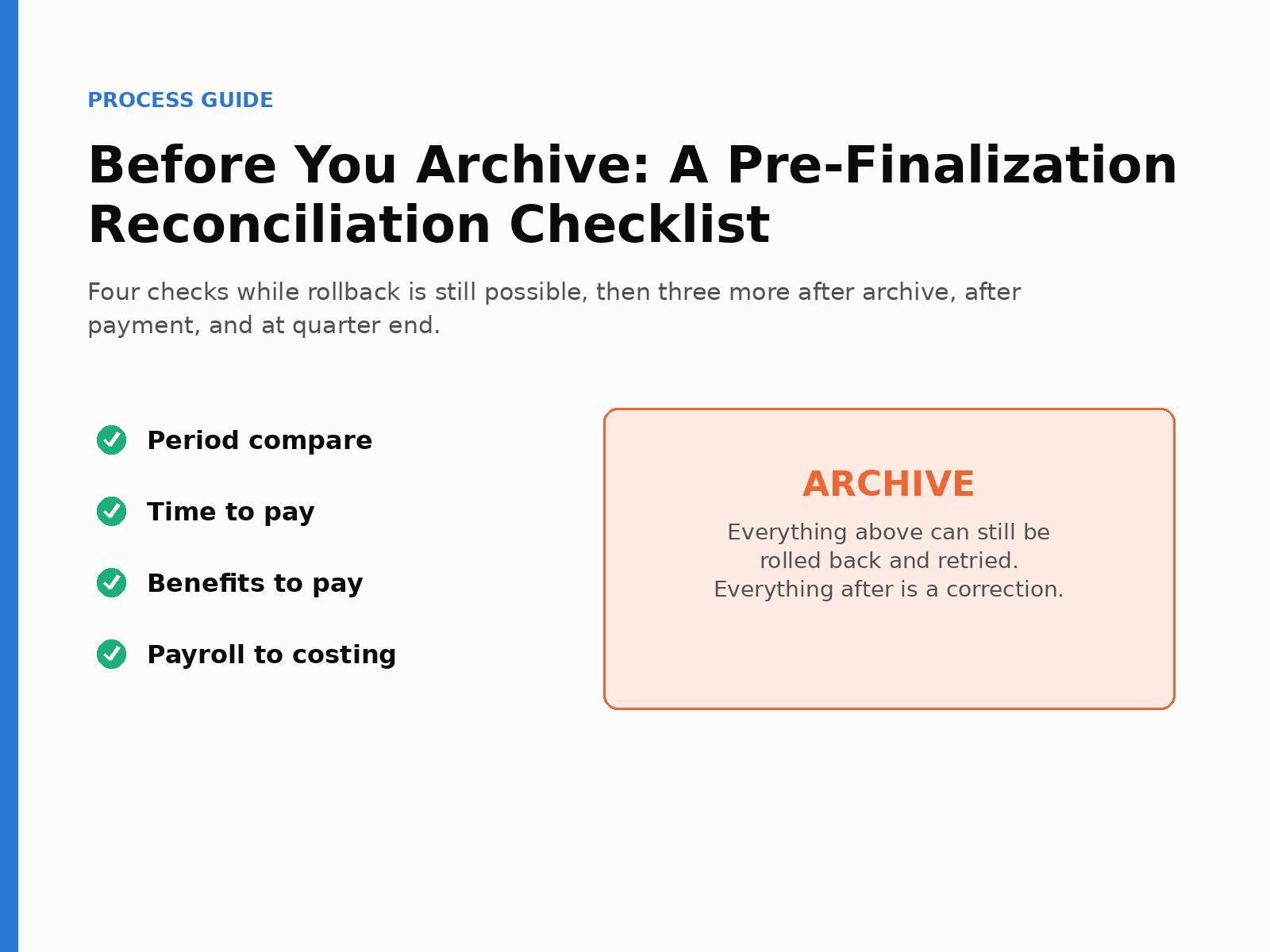
Before archiving an Oracle Cloud Payroll run, validate the things that can still be fixed by rollback and retry. Confirm this period’s results are consistent with the prior period. Confirm paid hours match the hours reported in your time system. Confirm benefit deductions match enrollments. Confirm every balance has costed to a valid account with nothing sitting in suspense or a default cost center. After archive, compare the Payroll Activity Report to the Payroll Register and Payment Register so you know nothing dropped between calculation and payment. After payment, reconcile costing of payments to prepayments. Each quarter, reconcile active balances to your tax filer.
Most reconciliation advice is organized around tools. This one is organized around the payroll timeline, and specifically around the archive, because that is the point where a problem stops being something you can retry and becomes something you have to correct.
Once a payroll is archived, its results are the record, and anything wrong after that point is a correction, whether a balance adjustment, an off-cycle payment, a retro, an explanation to an employee, or eventually a line on the quarterly tax true-up. Anything caught before archive can be handled by rolling back the affected employees, fixing the cause, and retrying.
So the sequence below puts as many checks as possible into the window between “payroll calculated” and “payroll archived.” It also treats the reports you need for those checks as something to prepare before payroll runs, not after.
Step 0. Before payroll starts, get the source reports ready
Two of the pre-archive checks compare payroll to a system that is not payroll, and those systems need to be read as of the cutoff.
Run the time extract from Time and Labor, or export the time file from your external time system, before you start processing payroll. The hours you want to reconcile are the hours employees reported and managers approved as of the cutoff. Whatever transferred into payroll is a separate question. Reconciling payroll against its own import would only confirm the import matched itself.
Run the benefits report on the same schedule. This is the report that reads enrolled rates from the Benefits module by employee, plan, option, and life event. Many teams schedule it on the payroll run calendar so it is waiting when the Payroll Activity Report comes out. There can be small timing effects if an enrollment changes on the day of the payroll, but that is rare enough that scheduling on the run date is the common practice.
Step 1. Pre-archive: compare this period to last period
Upload the prior period’s Payroll Activity Report as the source and the current one as the target. In a stable period with no unusual hiring or terminations, the balance-category totals and gross-to-net should look nearly identical, and that by itself tells you within a few minutes that the run is sane. Then go a level down: by balance name, then by employee. Flag anyone above your high-gross threshold or below your low-net threshold. Read the mismatch detail for anything that moved without an obvious cause. A federal tax decrease with no change in gross is the kind of row worth a second look. Check the missing tab for balances that appeared or disappeared.
If you run a retirement-plan check, this is where it happens: each employee’s year-to-date against the plan limits for employee, catch-up, and employer contributions.
Rollback and retry are fully available at this point.
Step 2. Pre-archive: reconcile reported time to paid time
Compare the time file to the Payroll Activity Report using your code-to-balance mapping. Three kinds of result come out. Hours mismatch, where both sides have hours for the element but they differ. Missing in payroll, where hours were reported and nothing was paid, which is usually a cutoff issue, a transfer failure, or a timecard that never got in. Missing in time, where payroll paid hours that were never reported, which is almost always a manual element entry made to pay someone who could not wait.
That last category deserves a note on your output. Those hours will arrive from the time system next cycle and must be offset, or the employee is paid twice. The note is your audit trail.
Step 3. Pre-archive: reconcile enrollments to deductions
Compare the benefits report to the Payroll Activity Report. Three results again. Enrolled but not processed in payroll, where you check the assignment status because unpaid leave and other non-payroll-eligible statuses show up here and are a policy decision. Processed but a specific deduction missing, which is usually insufficient earnings and Oracle’s deduction priority order, occasionally an override to zero. Deducted but the amount differs from the enrolled rate, where you look for arrears recovery or an override, and if neither is present, investigate. Set a variance threshold of a cent so rounding does not clutter the list.
Step 4. Pre-archive: reconcile payroll to costing
Compare the Payroll Activity Report to the Costing Results Report through your balance-to-account mapping. Five validations: costing missing (an element processed with no costing at all), costing mismatch (wrong amount or wrong account), suspense (anything that landed there), expense account (anything that fell to a default cost center or default segment), and net (net pay on the activity report against the clearing-account total on costing).
This is the check most teams leave until after archive, and it is the one where waiting costs the most. A missing costing does not stop an employee from being paid. The money leaves cash regardless. It just means the cost never reaches the ledger. Caught now, you fix the costing and retry. Caught later, finance is chasing a variance with no employee attached to it.
Step 5. Archive
If Steps 1 through 4 are clean, archive the run and move on to the post-archive checks.
Step 6. Post-archive: the three-way comparison
Compare the Payroll Activity Report (what was calculated), the Payroll Register (what was archived), and the Payment Register (what was paid). Look at gross pay, gross earnings, and net between activity and register, then the three-way net payment comparison, and then the mismatch and missing tabs at the employee level. Totals net out, but employees do not, and an employee whose quick pay never merged, or an element such as a child-support fee that failed to archive, shows up here and nowhere else.
Step 7. Post-payment: costing of payments
If you run the costing of payments process, compare the Costing of Payment Report to the Prepayment Report. Two results: an employee missing from either side (an orphan quick pay, a payment processed outside the main flow, or costing of payments run for the wrong dates), and an amount mismatch. This confirms the clearing account actually emptied to cash for every payment method.
Step 8. Quarter end: reconcile to your tax filer
Compare the Active Balance Report to your tax filer’s quarterly employee-level report, mapping employee numbers between the two systems. The Active Balance Report is pre-archive, so it includes any adjustment that never archived. The filer treats the quarterly file as truth and invoices or credits the difference. You are the one who has to know which employees caused it. A clean fourth quarter is what makes W-2 season uneventful.
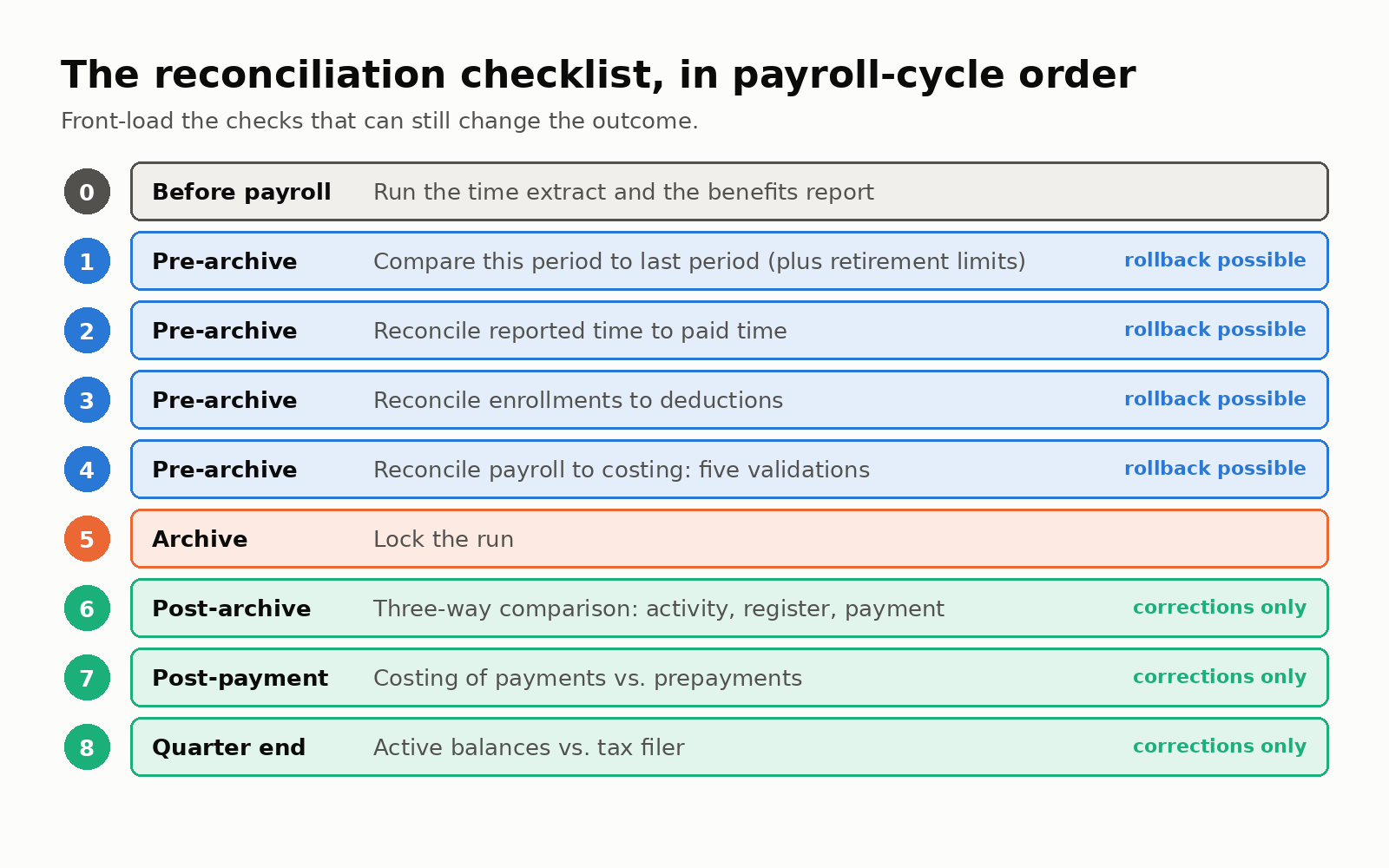
The eight reconciliation steps in payroll-cycle order, marking which still allow rollback and retry.
The checklist
When |
Check |
Reports |
Rollback still possible? |
|---|---|---|---|
|
Before payroll |
Run time extract and benefits report |
Time file; benefits report |
n/a |
|
Pre-archive |
Period-over-period comparison (plus retirement limits) |
Two Payroll Activity Reports |
Yes |
|
Pre-archive |
Reported vs. paid hours |
Time file; Payroll Activity Report; mapping |
Yes |
|
Pre-archive |
Enrollments vs. deductions |
Benefits report; Payroll Activity Report |
Yes |
|
Pre-archive |
Payroll vs. costing (5 validations) |
Payroll Activity Report; Costing Results Report; mapping |
Yes |
|
Post-archive |
Three-way comparison |
Payroll Activity; Payroll Register; Payment Register |
No, corrections |
|
Post-payment |
Costing of payments vs. prepayments |
Costing of Payment Report; Prepayment Report |
No, rerun for dates |
|
Quarterly |
Active balances vs. tax filer |
Active Balance Report; filer’s quarterly report; ID mapping |
No, adjustments |
Frequently asked questions
Which payroll problems can still be fixed by rollback and retry?
Anything caught before archive: costing missing or mis-costed, suspense or default-cost-center postings, missing or wrong benefit deductions, and hours that did not transfer from time. After archive, fixes become adjustments or off-cycle payments.
When should the time and benefits reports be run?
Before payroll processing. The time extract is run so hours are captured as of the cutoff. Many teams schedule the benefits report on the payroll calendar so it is ready when payroll is processed.
What is the difference between pre-archive and post-archive reconciliation?
Pre-archive checks compare inputs such as time, benefits, and costing setup to calculated results and can still change the outcome. Post-archive checks compare calculated results to what was recorded and paid, confirming nothing dropped between stages.
What should be reconciled after payroll is paid?
Costing of payments against prepayments, to confirm the clearing account cleared to cash for every payment method. At quarter end, Oracle active balances against the tax filer’s quarterly return.
Why reconcile every quarter instead of at year-end?
Because the fourth-quarter file becomes W-2s. If each quarter is clean, year-end is a confirmation rather than an investigation.
