
Running payroll successfully is important. But how does a payroll team know that the results are actually correct?
For Oracle Cloud Payroll customers, payroll information interacts with multiple areas. Hours may originate in Oracle Time and Labor or an external time system. Benefit enrollments and rates need to result in the appropriate payroll deductions. Payroll results can change after an upgrade or configuration change. And payroll costs need to align with the accounting that will ultimately reach the General Ledger.
This is why payroll reconciliation should not be viewed as a single activity.
There are four important areas Oracle Cloud Payroll customers should consider reconciling.
1. Time to Payroll: Do Reported Hours Match Paid Hours?
One of the most basic payroll questions is also one of the most important:
Do the hours reported in the time system match the hours actually processed in payroll?
Whether an organization uses an external time system or Oracle Time and Labor, differences can occur between reported time and paid time.
For example, hours from a time-import file may fail to load or arrive too late for the current payroll. A payroll administrator may then receive the information separately and manually enter the hours into payroll.
The employee gets paid—but how does the payroll team verify that the manual entry matches the original time record?
Another situation can occur when imported hours need to be edited directly in Payroll. The source time system might show 10 hours, while Payroll is subsequently changed to 8 hours based on updated information.
The difference may be completely legitimate, but it should still be identified and reviewed.
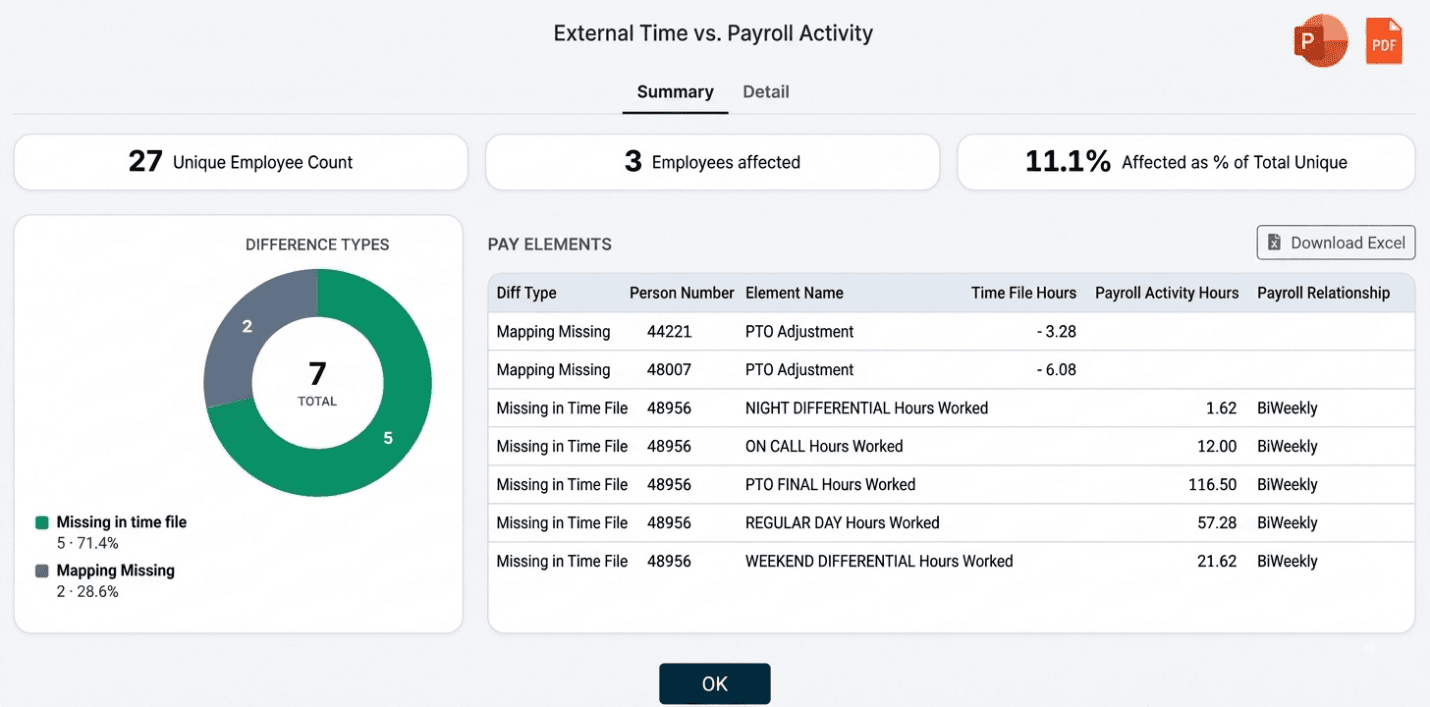
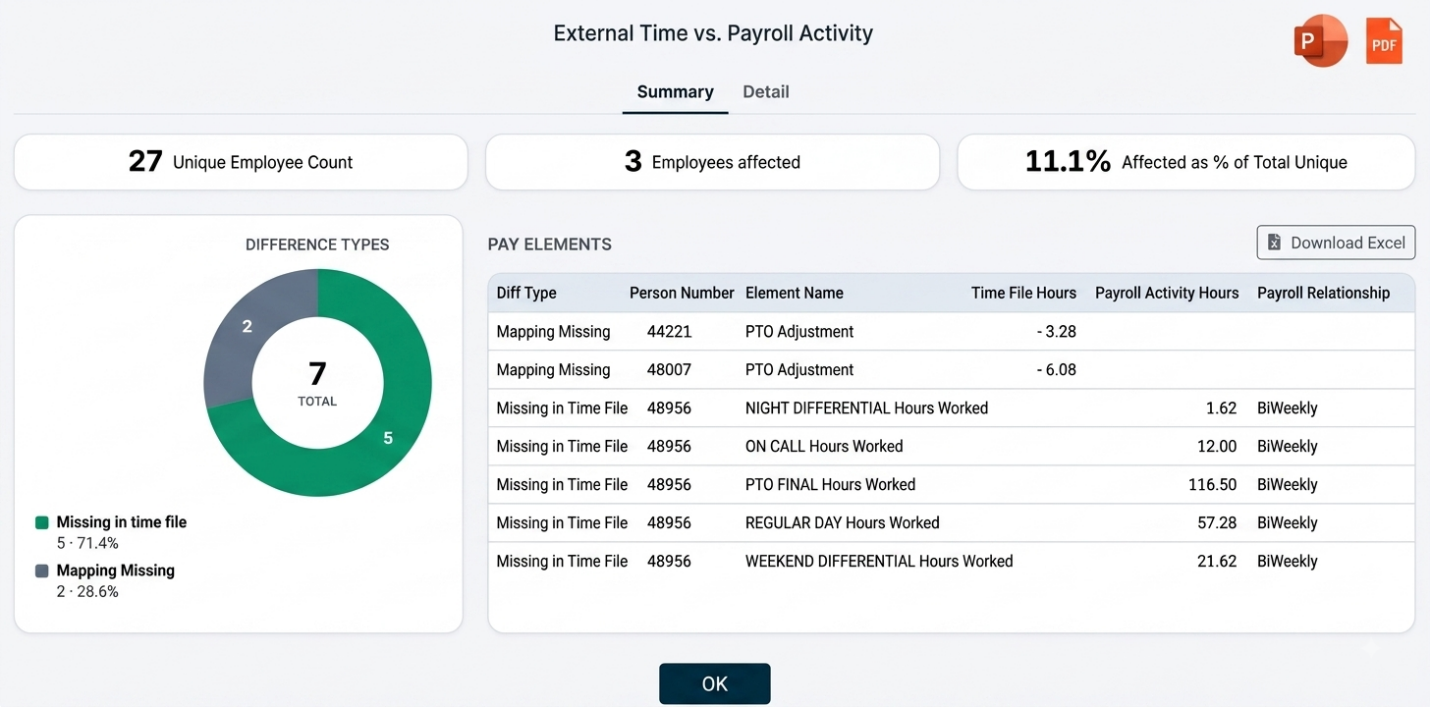
A Time-to-Payroll reconciliation should therefore identify:
- Hours existing in both Time and Payroll that don’t match
- Hours present in Time but missing from Payroll
- Hours processed in Payroll but missing from the Time file
The Camptra Recon Toolset also supports mappings between time-system pay codes and Oracle Payroll elements, along with scenarios involving retro entries.
The important principle is to compare the actual source time data with the final payroll results.
That allows the payroll team to answer a simple but critical question:
Did we pay the hours that were reported?
2. Benefits to Payroll: Do Benefit Rates Match Payroll Deductions?
For customers using Oracle Cloud Benefits and Oracle Cloud Payroll, another important reconciliation is between an employee’s benefit enrollment and what was actually deducted in Payroll.
An employee can be enrolled correctly in Benefits, but the payroll team still needs to know whether the expected deduction was processed.
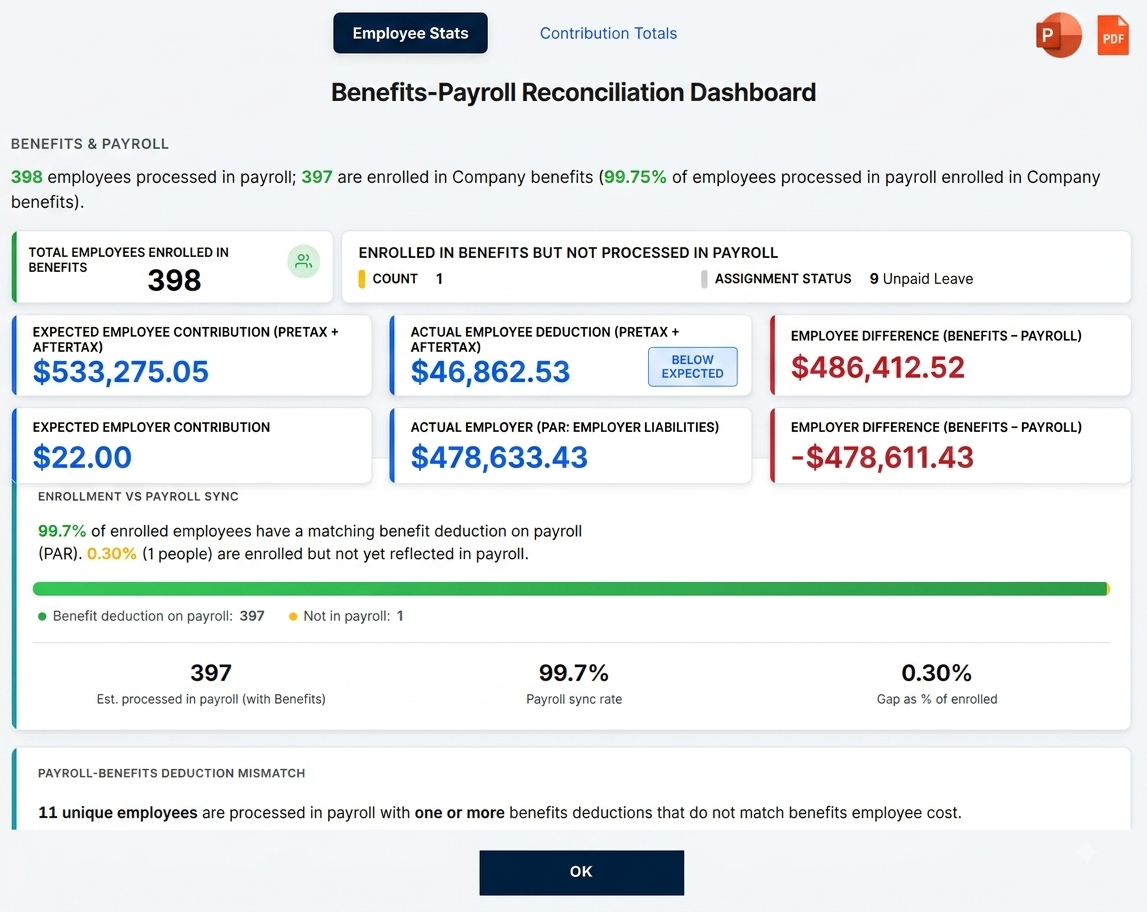
Camptra’s Benefits-to-Payroll reconciliation focuses on three primary areas.
First, it identifies employees who are enrolled in Benefits but were not processed in Payroll. There may be valid explanations—for example, an employee could be on unpaid leave or have an assignment status that is not eligible for Payroll.
Second, it identifies missing deductions. The employee was processed in Payroll, but one or more expected benefit deductions were not processed. Low or zero earnings may be one possible explanation.
Third, it identifies deduction mismatches. The employee and deduction were both processed, but the amount deducted in Payroll does not match the Benefits amount. Element overrides or arrears balance recovery may explain some of these differences.
The objective isn’t to assume that every mismatch is an error.
It is to identify the differences so the Payroll and Benefits teams can determine which differences are valid and which require action.
Instead of discovering a discrepancy after an employee reports an incorrect deduction, reconciliation gives the organization an opportunity to identify it as part of the payroll review process.
The fundamental question is:
Does what the employee is enrolled for in Benefits match what Payroll actually deducted?
3. Payroll to Payroll: Did Anything Unexpected Change?
Sometimes payroll needs to be reconciled against another payroll run.
This becomes particularly important when something changes in the Oracle environment.
For example, an Oracle update may include changes affecting delivered Fast Formulas, tax rules, element processing rules or other payroll functionality.
Organizations may also make their own significant configuration changes.
Traditional process testing can confirm whether the payroll process runs successfully. But payroll teams may also want to know whether the underlying payroll results changed.
That is where Payroll-to-Payroll reconciliation becomes valuable.
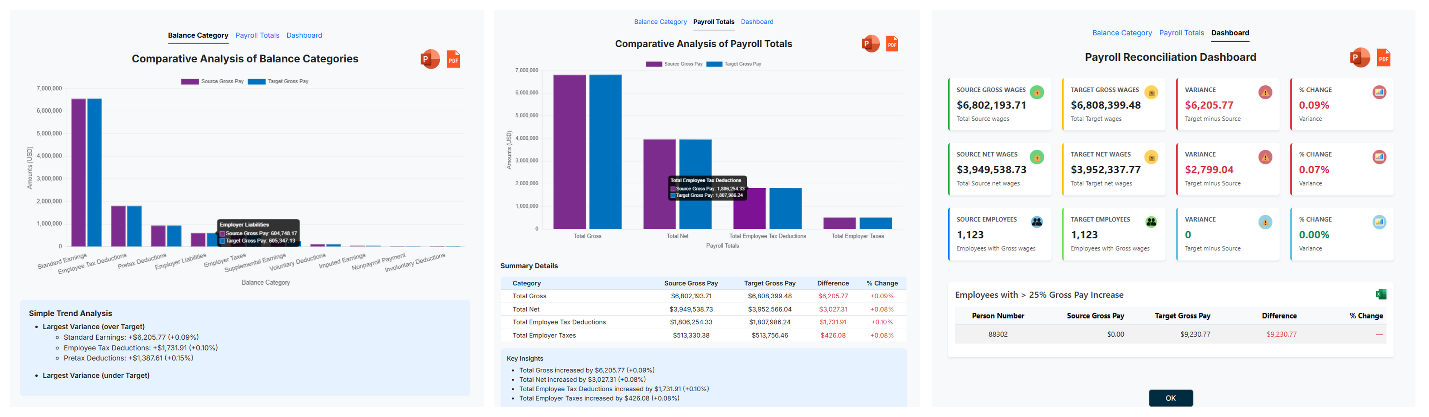
Camptra’s Payroll Results Comparison functionality can compare two payroll runs and identify:
- Summary-level differences
- Employee-level differences
- Information missing between the two runs
This approach can be used for scenarios such as:
- Oracle update testing
- Significant payroll configuration changes
- Payroll parallel testing
- Implementations
- Mergers or acquisitions
- Testing major enhancements
It is also applicable when comparing payroll results generated using different tax engines.
Camptra’s OPTE reconciliation materials, for example, describe comparing payroll results between the legacy Vertex tax engine and the United States Oracle Payroll Tax Engine (USOPTE), including comparisons at balance-category, balance-name and employee levels.
The purpose of Payroll-to-Payroll reconciliation is therefore not simply to find differences.
It is to answer:
Did payroll change where we expected it to change—and did anything else change unexpectedly?
4. Payroll to Accounting: Do Payroll Costs Align With What Will Reach the General Ledger?
Payroll expense ultimately needs to be represented correctly in accounting.
Camptra’s Payroll-to-GL reconciliation approach begins with the payroll results and compares those amounts with payroll cost distribution before the transactions are ultimately posted to the General Ledger.
This gives payroll teams an opportunity to identify discrepancies earlier in the process.
The reconciliation can help identify issues such as:
- Missing or incorrect costing configurations
- Suspense entries
- Missing values in important reporting segments
- Incorrect cost center, location, project or other costing information
- Differences between payroll expense and cost distribution
For organizations using costing of payments and an interim net pay account, reconciliation can also verify employee net amounts between the Payroll Activity and costing information and help identify payments or void records that have not transferred as expected.
The objective is to reconcile the accrued payroll cost with the accounting generated from Payroll that will eventually reach the General Ledger.
This gives Payroll and Finance a much more useful question to answer:
Does what we calculated in Payroll align with how those payroll costs are being accounted for?
Why Is This Still So Difficult?
The need for these reconciliations isn’t new.
The challenge is how payroll teams perform them.
Without a purpose-built reconciliation process, teams may need to extract multiple reports and perform comparisons using Excel, formulas and other manual processes.
As the number of employees and transactions increases, identifying differences can become a significant payroll activity.
And finding the difference is only the beginning.
Payroll professionals still need time to understand why the difference occurred and determine whether corrective action is necessary.
This is where automation can supplement the Payroll team.
Rather than spending significant effort assembling comparisons, payroll professionals can focus their attention on the employees and transactions where differences have already been identified.
Four Reconciliations, Four Simple Questions
The payroll reconciliation framework can therefore be summarized with four questions:
Time → Payroll
Did we pay the hours that were reported?
Benefits → Payroll
Did we deduct what the employee’s Benefits enrollment indicates?
Payroll → Payroll
Did payroll results change where we expected them to—and nowhere else?
Payroll → Accounting → GL
Do payroll costs align with the accounting that will ultimately reach the General Ledger?
These are different reconciliations, but they share the same underlying principle:
Compare the source with the result, identify the differences, and investigate the exceptions.
Oracle Cloud Payroll provides the core payroll processing capabilities. A reconciliation layer supplements that process by helping payroll teams validate results faster and more consistently.
That is the role Camptra’s Recon Toolset was designed to support: reducing the manual effort required to identify discrepancies so payroll professionals can spend more of their time reviewing and resolving the exceptions that matter.
Next in the Series
Time-to-Payroll Reconciliation: Do Reported Hours Really Match Paid Hours?
We’ll look more closely at the scenarios that can cause reported time and paid time to differ—even when the time-to-payroll process appears to be working—and how payroll teams can build a more effective audit around that process.
