

Payroll status monitoring is defined as the continuous oversight of payroll data accuracy, cycle progression, and regulatory compliance across every pay period. Knowing how HR managers monitor payroll status means understanding three core disciplines: structured approval workflows, real-time dashboard visibility, and strict adherence to validation sequences. The Fair Labor Standards Act (FLSA) requires employers to retain accurate time records for at least 3 years, making disciplined monitoring a legal obligation, not just an operational preference. HR managers who treat payroll oversight as a continuous process, rather than an end-of-cycle scramble, catch errors before they become corrections, audit findings, or wage claims.
How HR managers monitor payroll status: timing controls and process sequence
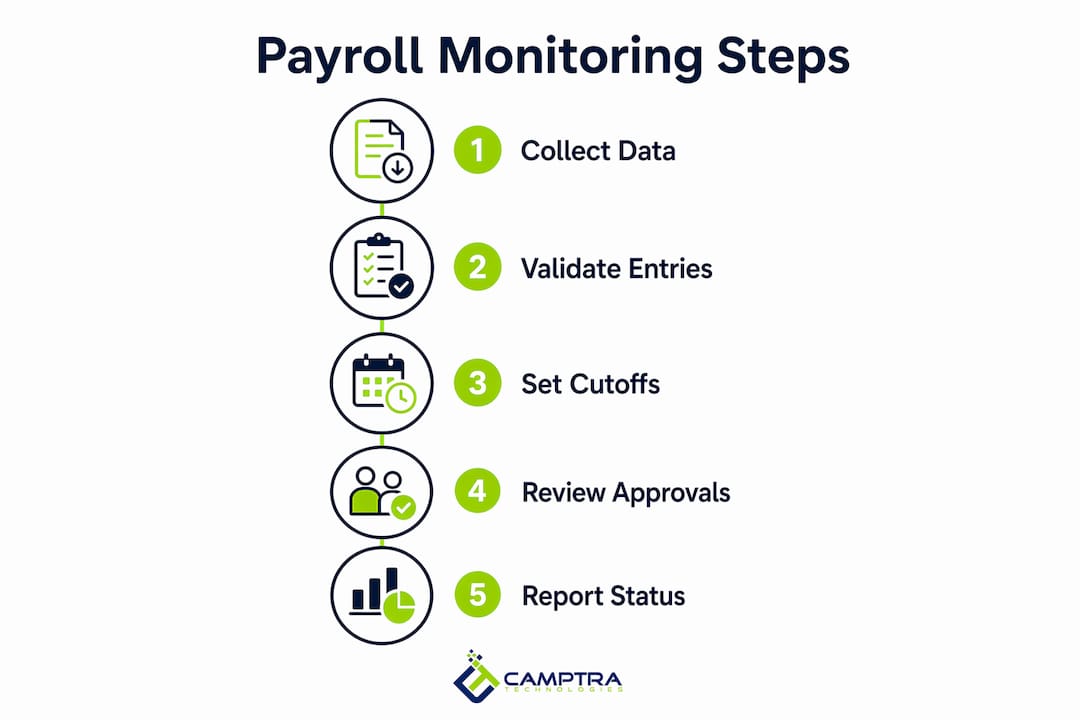
The single most common source of payroll errors is performing validation steps out of order. A 12-step validation process that includes timesheet verification, exception review, and payroll register approval prevents most systematic errors before they reach the payment stage. Each step depends on the one before it. Skipping or reordering them creates cascading problems that are expensive to unwind.
Timing controls are equally critical. The industry standard is to set payroll input deadlines 24–48 hours before payroll lock, giving HR teams enough buffer to validate exceptions and resolve discrepancies. Larger hourly workforces need the longer end of that range because volume amplifies the risk of missed entries and unapproved overtime.

Two distinct cutoffs govern every payroll cycle: the input cutoff and the approval cutoff. The input cutoff is the deadline for submitting time data, corrections, and benefit changes. The approval cutoff is the deadline for managers to sign off on exceptions and variances. Confusing the two, or treating them as the same event, is a structural flaw that creates last-minute pressure and increases error rates.
Manager approval must happen before payroll submission, not after. Approving exceptions post-submission forces off-cycle corrections that increase administrative burden and audit risk. HR managers who enforce pre-submission approval checkpoints protect both payroll accuracy and the organization’s legal standing.
- Collect and lock timesheets by the input cutoff deadline.
- Run preliminary payroll calculations and generate the exception report.
- Route exceptions to line managers for review and approval.
- Confirm all approvals are complete before the approval cutoff.
- Run the final payroll register and verify Gross Pay and Net Pay totals.
- Archive results and hand off costing data to finance.
Pro Tip: Set your approval cutoff at least 24 hours before your input cutoff reaches finance. That gap gives your team time to resolve last-minute exceptions without touching the payroll lock.
What tools do HR managers use to track payroll status?
A payroll reporting dashboard is the operational center of any effective HR payroll tracking method. The best dashboards display Gross Pay, Net Pay, total deductions, hours worked, and overtime in a single reconciled view. They pull data from HRIS, time and attendance systems, and accounting platforms simultaneously, so every stakeholder sees the same numbers.
The critical feature is role-based access. Unified payroll dashboards that reconcile HR, payroll, timesheets, and accounting data prevent the conflicting assumptions that arise when departments work from separate spreadsheets. Finance sees costing data. HR sees headcount and benefit deductions. Payroll operations sees the full picture. No one is comparing apples to oranges.
Real-time alerts are the second layer of visibility. A well-configured dashboard flags anomalies automatically: overtime thresholds exceeded, payroll spikes above a defined percentage, or employees with zero hours in a pay period. These alerts let HR managers focus on resolving exceptions rather than hunting for them manually.
- Gross Pay and Net Pay variance tracking: Flags pay changes above a set threshold between pay periods.
- Overtime monitoring: Alerts managers when an employee approaches or exceeds overtime limits before payroll runs.
- Deduction reconciliation: Confirms that benefit deductions match enrollment records in the HRIS.
- Costing and GL alignment: Verifies that payroll costs post correctly to the general ledger.
- Employee self-service portals: Allow employees to review their own time records before payroll closes.
Employee self-service portals deserve special attention. Giving employees visibility into their own time records before payroll runs catches errors that HR would otherwise miss. An employee who spots a missed punch on Tuesday can report it Wednesday morning, well before the input cutoff. That one correction prevents an underpayment, a correction cycle, and a potential wage complaint.
Standard payroll approval windows for monthly runs range from 1 to 3 business days. Automation reduces this to under 24 hours by routing approvals electronically and eliminating manual handoffs. That speed advantage compounds over time, giving HR teams more room to investigate genuine exceptions rather than chasing paperwork.
Best practices for payroll data accuracy and compliance
Payroll reconciliation works best as a continuous operational process, not a post-cycle cleanup task. Teams that reconcile throughout the pay period catch variances while the data is still fresh and correctable. Teams that wait until after payroll runs face a harder problem: they must unwind completed transactions and issue corrections that trigger additional review.
Documented approval workflows are the foundation of audit readiness. Every approval action should be logged with a timestamp and the approver’s identity. That log answers the question every auditor eventually asks: who approved what, and when? Without it, HR managers are defending decisions with memory rather than evidence.
- Maintain an issue log: Record every payroll discrepancy, its root cause, and its resolution. Separating the technical issue from its consequence, such as a missed punch versus a resulting underpayment, improves resolution quality and accountability.
- Assign reconciliation ownership: Every reconciliation task needs a named owner, not just a team. Shared ownership is no ownership.
- Include payroll dashboards in monthly HR and finance meetings: Regular review of payroll data across departments surfaces patterns that single-cycle reviews miss.
- Document missed punch corrections: Record who submitted the correction, who approved it, and what the original entry showed.
- Audit benefit deductions quarterly: Confirm that deduction amounts in payroll match current enrollment records in the HRIS.
FLSA compliance requires accurate records of all hours worked, including hours worked remotely. The 3-year retention requirement applies to time records, pay rates, and deduction records. HR managers who build retention into their payroll calendar design, rather than treating it as an IT task, maintain cleaner records and respond faster to audits.
Pro Tip: Run a payroll close issue log every cycle. A structured log that tracks each issue from detection to resolution gives you a defensible audit trail and reveals recurring problems that process changes can fix.
Effective payroll calendar design with clear cutoff logic reduces end-of-cycle pressure by building approval windows and finance handoffs directly into the schedule. Late approvals are almost always a calendar design problem, not a performance problem.
How do HR managers handle remote workforce payroll challenges?
Remote workforces create specific payroll monitoring risks. Hours that go unverified, missed punches that go unreported, and unapproved overtime that slips through are all more common when employees work outside a supervised environment. Mobile time tracking integrated with GPS verification addresses these risks by capturing location-stamped clock events that HR can audit against scheduled shifts.
The table below shows the most common remote payroll challenges and the monitoring controls that address each one.
| Challenge | Monitoring control |
|---|---|
| Unverified remote hours | GPS-stamped mobile clock-in with geofence alerts |
| Missed punch corrections | Self-service portal submission with manager approval required |
| Unapproved overtime | Real-time dashboard alert when hours approach threshold |
| Unauthorized work activity | Anomaly detection flagging off-schedule clock events |
| Wage claim exposure | Continuous reconciliation with timestamped approval logs |
Policies for missed punch corrections must be explicit. The correction process should require the employee to submit the missed entry, the direct manager to approve it, and HR to log the change before the input cutoff. Any correction submitted after the cutoff should trigger an off-cycle review, not an automatic adjustment.
Continuous monitoring also reveals behavioral patterns. An employee who consistently clocks in two minutes before their shift ends, or who submits the same missed punch every Friday, is a pattern worth investigating. Payroll systems that flag these anomalies automatically give HR managers the data to address the behavior before it becomes a wage claim or an audit finding.
Key Takeaways
Effective payroll status monitoring requires continuous reconciliation, strict sequence adherence, and real-time dashboard visibility to prevent errors and maintain FLSA compliance.
| Point | Details |
|---|---|
| Sequence adherence prevents errors | Follow the 12-step validation process in order; skipping steps creates cascading payroll mistakes. |
| Buffer deadlines protect accuracy | Set input and approval cutoffs 24–48 hours before payroll lock to allow exception resolution. |
| Unified dashboards eliminate silos | Role-based payroll dashboards give HR, finance, and payroll one reconciled data source. |
| Continuous reconciliation beats cleanup | Reconciling throughout the pay period catches variances while they are still correctable. |
| Remote monitoring requires explicit controls | GPS verification, self-service portals, and anomaly detection close the gaps remote work creates. |
Where most payroll monitoring advice gets it wrong
I have worked with payroll teams that run tight, well-documented cycles and still end up with last-minute corrections every period. The culprit is almost never the people. It is the calendar. Approval windows get designed around the payroll system’s technical deadlines, not around the actual time managers need to review exceptions. When the window is too short, managers approve without reading. When they approve without reading, errors pass through.
The second thing I see consistently is reconciliation treated as a finance task rather than a shared HR and payroll responsibility. Finance reconciles the general ledger. HR reconciles headcount and benefits. Payroll operations reconciles gross-to-net. When those three reconciliations happen in separate systems with separate owners and no shared dashboard, you get three different versions of payroll truth. That is how phantom variances get chased for hours.
The fix is not more people or more meetings. It is a single reconciled data source that all three teams can see, with clear ownership for each exception type. When HR managers can see the same Gross Pay and Net Pay figures that finance is working from, the conversation shifts from “your numbers are wrong” to “here is the exception we need to resolve.” That shift alone cuts correction cycles significantly.
Automation matters, but it does not replace oversight. The teams I have seen succeed with automated reconciliation tools are the ones that use automation to surface exceptions faster, then apply human judgment to resolve them. Automation without a defined escalation path just moves the problem downstream.
— Zach
Camptra Technologies: payroll reconciliation built for enterprise scale
HR managers running Oracle Cloud Payroll face a specific challenge: reconciling millions of records across time and attendance, benefits, costing, tax, and the general ledger, all before payroll cutoff. Spreadsheet-based reviews cannot keep up with that volume.
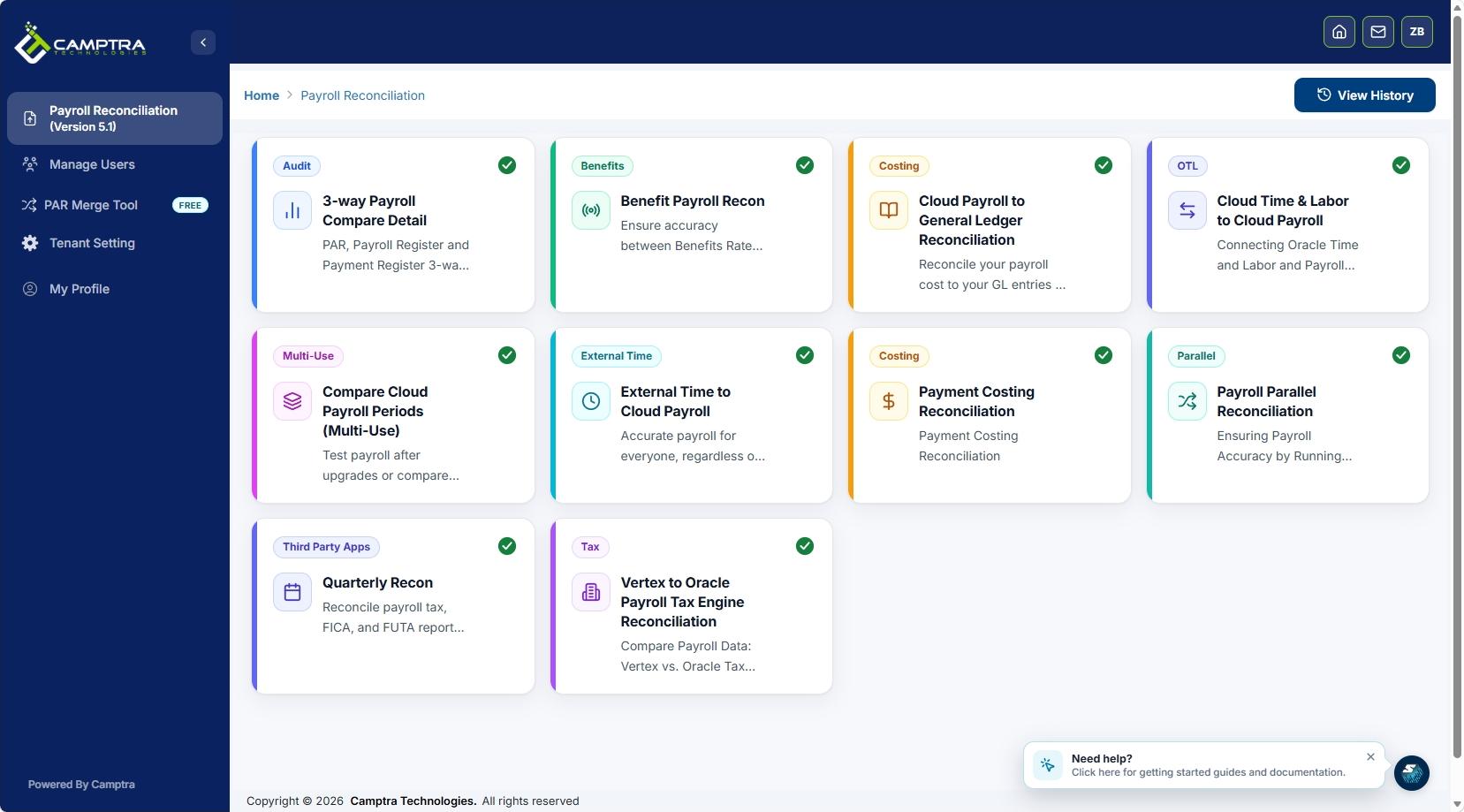
Camptra Technologies’ Payroll Recon Toolset connects and analyzes payroll-impacting data across every layer of Oracle Cloud Payroll, surfacing variances and exceptions automatically. Customers have reported reconciliation time reductions of up to 80%, giving payroll and HR teams more time to resolve exceptions rather than prepare data. The toolset supports audit-ready workflows with timestamped approval logs, centralized dashboards, and exception tracking built for enterprise payroll environments. You can request sandbox access to see how it fits your current payroll cycle.
FAQ
What does payroll status monitoring mean for HR managers?
Payroll status monitoring is the continuous oversight of payroll data accuracy, approval progress, and compliance across each pay period. HR managers use dashboards, approval workflows, and reconciliation processes to confirm that payroll is accurate before it runs.
How do HR teams manage the payroll close process?
HR teams manage payroll close by enforcing input and approval cutoffs, reviewing exception reports, and confirming that all manager approvals are complete before payroll submission. A structured payroll calendar with defined handoff points between HR, payroll operations, and finance keeps the close process on schedule.
What is the FLSA record retention requirement for payroll?
The FLSA requires employers to retain accurate time and payroll records for at least 3 years. This applies to all hours worked, including remote work, and covers pay rates, deductions, and time records.
How does automation improve payroll approval speed?
Automated approval routing reduces standard payroll approval cycles from 1–3 business days to under 24 hours by eliminating manual handoffs and routing exceptions directly to the responsible approver. That speed gives HR teams more time to investigate genuine discrepancies before the payroll lock date.
Why do remote workforces create additional payroll monitoring risks?
Remote employees are more likely to have unverified hours, missed punches, and unapproved overtime because they work outside direct supervision. GPS-verified mobile time tracking and real-time dashboard alerts close those gaps by capturing location-stamped clock events and flagging anomalies before payroll runs.
