

A payroll control environment is defined as the integrated framework of policies, processes, roles, and technologies a company uses to guarantee employees are paid accurately, securely, and in compliance with applicable laws. Think of it as the governance layer that separates routine payroll processing from the broader discipline of payroll management, keeping calculations from drifting into error or fraud. The stakes are real: 27% of U.S. companies have faced fines for payroll mistakes. That figure means roughly one in four organizations has already paid a financial penalty that a stronger control environment could have prevented. Core components include segregation of duties, role-based access controls, automated validation workflows, and continuous audit trails. Regulatory bodies such as the IRS, the Department of Labor, and the American Payroll Association set the compliance standards that these controls are designed to meet.
What is a payroll control environment and why does it matter?
A payroll control environment is not a single tool or policy. It is a system where every element reinforces the others: who can enter data, who can approve changes, how errors are caught, and how every action is logged.
The environment acts as a governance layer that separates payroll execution from payroll oversight. Without that separation, the same person who sets up a new hire’s pay rate could also run the payroll that pays that employee. That overlap is where fraud and undetected errors live.
Payroll compliance standards such as SOX Section 404, FLSA record-keeping requirements, and state wage-and-hour laws all assume that controls exist. Auditors do not just check whether you paid people correctly. They check whether your processes make it structurally difficult to pay people incorrectly.
The importance of payroll controls extends beyond audit season. A well-designed environment reduces the volume of manual reconciliation your team performs after each payroll run, because errors are caught before they reach the archive stage rather than discovered weeks later in a general ledger variance report.
What are the key components of a payroll control environment?
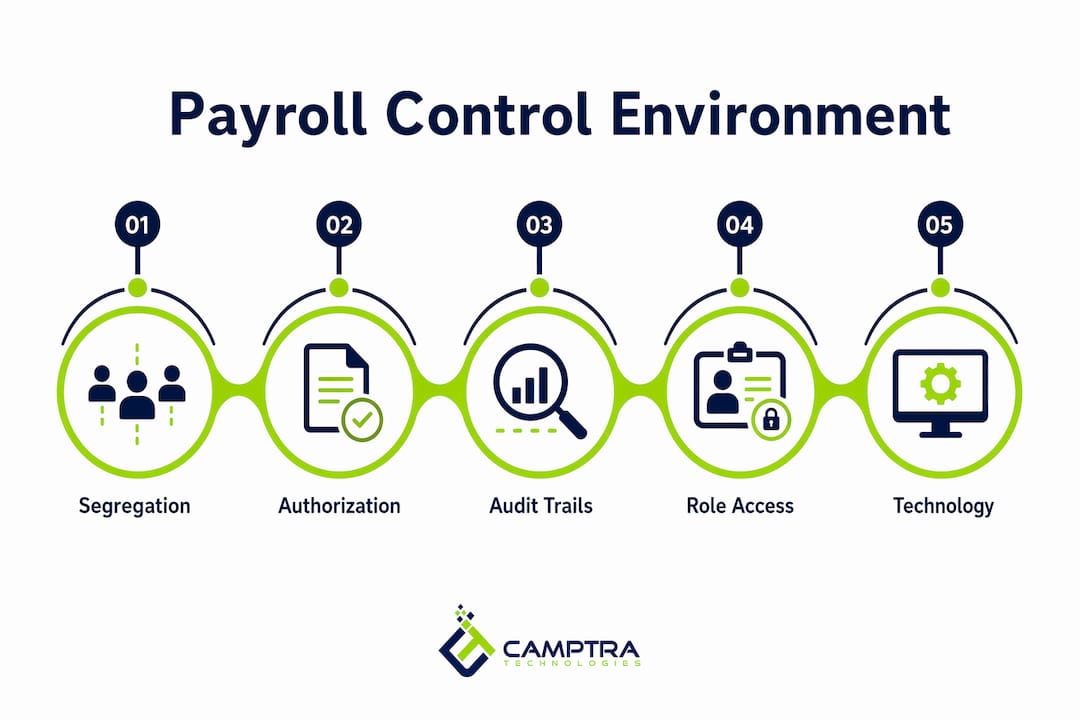
Core components of a payroll control environment include segregation of duties, role-based access, centralized data management, and automated workflows. Each component addresses a specific failure point in the payroll process.

| Component | Purpose |
|---|---|
| Segregation of duties | Prevents one person from controlling data entry, approval, and payment |
| Role-based access controls | Limits who can view or modify sensitive payroll data |
| Formal change authorization | Requires signed or system-logged approval for all payroll master data changes |
| Automated validation reports | Flags variances in Gross Pay, Net Pay, and deductions before payroll is finalized |
| Centralized data management | Eliminates siloed records that create reconciliation gaps between HR, payroll, and finance |
| Live audit trail | Logs every change and approval with a timestamp and user ID |
Segregation of duties
Separating master data maintenance from payroll execution is the single most important structural control. When the person who updates employee pay rates is different from the person who runs the payroll calculation, and different again from the person who approves the final payment file, you have three independent checkpoints. Each one must fail simultaneously for a fraudulent payment to go undetected.
Role-based access controls
Role-based access controls define what each user can see and do within your payroll system. A benefits administrator should not have write access to tax withholding tables. A payroll analyst should not be able to approve their own journal entries. Authorized personnel access boundaries are not just a security feature. They are a documented control that auditors will test.
Formal authorization and audit trails
Every change to payroll master data, whether it is a salary adjustment, a new deduction code, or a tax election update, requires a documented approval. Maintaining a live audit trail that logs all changes and approvals drastically improves audit readiness and shortens the time your team spends responding to auditor requests.
Pro Tip: Set your payroll system to require a business justification field on every master data change. That single field transforms your audit trail from a raw log into a readable narrative that auditors and internal reviewers can follow without additional explanation.
How does technology support the payroll control environment?
Technology does not replace payroll controls. It enforces them consistently, at scale, and without the fatigue that affects manual review processes. Technology enables controls but must be complemented by firm policies, because software can be bypassed or misconfigured.
The most direct technology benefits in a payroll control environment are:
- Automated validation rules that compare current period results against prior periods and flag variances above a defined threshold before payroll is archived
- System-enforced approval workflows that prevent a payroll run from advancing to the payment stage without the required sign-offs
- Integration between HR, payroll, benefits, costing, tax, and general ledger systems that eliminates manual data re-entry and the reconciliation gaps it creates
- Real-time exception reporting that surfaces anomalies such as duplicate payments, missing deductions, or employees paid outside their normal range
- Immutable audit logs that record every system action with a user ID, timestamp, and before-and-after values
Upstream validation integrated into the payroll process reduces manual reconciliation and catches errors early. That is the critical shift: moving from reactive post-payroll cleanup to proactive pre-archive validation. Teams that validate results before the payroll archive runs spend far less time chasing variances after the fact.
Camptra Technologies builds this upstream validation model into its Payroll Recon Toolset, connecting data across time and attendance, payroll, benefits, costing, tax, and general ledger to surface exceptions before cutoff. Customers have reported reconciliation time reductions of up to 80%.
Pro Tip: When implementing payroll technology, map your existing manual controls to system-enforced equivalents before go-live. If a control cannot be replicated in the system, document the compensating manual control explicitly. Auditors will ask.
What challenges do organizations face in managing the payroll control environment?
The most common failure in payroll control environments is not a missing policy. It is a policy that exists on paper but is not enforced in practice. Signed change request forms that bypass the approval queue, access roles that were never updated after a staff reorganization, and reconciliation reports that are generated but never reviewed are all real-world examples.
Common pitfalls and their corrective actions:
- Insufficient segregation of duties: One person handles data entry, approval, and payment. Corrective action: map every payroll function to a separate role and enforce it in your system’s permission structure.
- Overreliance on software: Teams assume the payroll system will catch all errors. Corrective action: document compensating manual controls for scenarios where the system can be overridden or fails.
- Poor audit readiness: Teams scramble to reconstruct change history when auditors arrive. Corrective action: maintain a live audit trail and review it monthly, not just at audit time.
- Reactive reconciliation: Variances are discovered after payroll is finalized and payments are issued. Corrective action: move validation upstream so exceptions are resolved before the archive runs.
- Stale access permissions: Former employees or transferred staff retain access to payroll data. Corrective action: tie access reviews to your HR offboarding and transfer workflows.
Payroll compliance standards also require that controls are viewed through the auditor’s lens. That means your team should be able to demonstrate, with documented evidence, that each control operated effectively during the period under review. Preparing that evidence annually is far harder than maintaining it continuously.
Understanding compliance in payments more broadly also helps payroll teams anticipate how audit trails, change authorization requirements, and regulatory integration points apply across the full payment lifecycle, not just the payroll run itself.
How to implement and maintain a strong payroll control environment
Building a payroll control environment that holds up under audit requires deliberate design, not just good intentions. The following steps give you a structured path from assessment to ongoing maintenance.
- Document your current state. Map every payroll process from data entry through payment and reconciliation. Identify where controls exist, where they are missing, and where they exist on paper but not in practice.
- Define roles and responsibilities. Assign specific payroll functions to specific roles. Write this into your standard operating procedures (SOPs) and reflect it in your system’s permission structure.
- Implement formal change authorization. Every change to payroll master data requires a documented request, a business justification, and an approval from someone other than the requester.
- Activate automated validation. Configure your payroll system to run variance reports before each archive. Set thresholds for Gross Pay, Net Pay, deductions, and headcount that trigger exception flags.
- Establish an independent review cycle. Schedule monthly or quarterly reviews of payroll results, access logs, and exception reports by someone outside the payroll processing team. Independent payroll audits between HR and payroll functions catch gaps that internal teams normalize over time.
- Train continuously. Payroll compliance standards change. Tax tables update. Benefit deduction rules shift. Your team needs structured training at least annually, with targeted updates whenever regulations change.
- Review and update controls regularly. A control that was adequate for a 500-person organization may not be sufficient for a 5,000-person one. Review your control environment whenever the organization grows, restructures, or changes payroll systems.
Pro Tip: Treat your SOP documentation as a living document, not a one-time project. Assign a named owner to each SOP and set a calendar reminder for annual review. An outdated SOP is worse than no SOP, because it creates a false sense of coverage.
Key Takeaways
A payroll control environment is the structured governance framework that prevents payroll errors, fraud, and compliance failures before they reach employees or auditors.
| Point | Details |
|---|---|
| Definition and scope | A payroll control environment combines policies, roles, technology, and audit processes into one governance system. |
| Segregation of duties | Separating data entry, approval, and payment functions is the most critical structural control. |
| Technology as enforcer | Automated validation and audit logs enforce controls consistently, but firm policies must back them up. |
| Upstream validation | Catching errors before payroll is archived reduces manual reconciliation and prevents costly post-payment corrections. |
| Continuous maintenance | Controls must be reviewed, updated, and tested regularly to remain effective as the organization changes. |
The control environment is a living system, not a checklist
After working closely with enterprise payroll teams, the pattern I see most often is this: organizations build a solid control environment during an ERP implementation, then treat it as finished. Two years later, access permissions have drifted, SOPs have not been updated to reflect system changes, and the reconciliation process has quietly shifted back to spreadsheets because the automated reports were never fully adopted.
The uncomfortable truth about payroll controls is that they degrade without active maintenance. Segregation of duties breaks down when teams are understaffed and someone takes on a second role “temporarily.” Audit trails become meaningless when no one reviews them between audit cycles. Automated validation reports stop catching real exceptions when thresholds are never recalibrated after a workforce expansion.
What I have found actually works is treating the payroll control environment the same way a finance team treats its month-end close: as a recurring, structured process with defined owners, documented steps, and a clear sign-off at the end. That means monthly exception report reviews, quarterly access audits, and annual SOP updates, not just annual external audits.
The other shift worth making is moving your validation mindset upstream. Post-payroll reconciliation is a cleanup exercise. Pre-archive validation is a control. The teams that catch the fewest errors after payroll runs are the ones who invested in catching them before the archive. That investment pays back in reduced manual effort, fewer corrections, and a much shorter audit response cycle.
— Zach
How Camptra Technologies strengthens your payroll control environment
If your team manages high-volume payroll in Oracle Cloud, the gap between a documented control environment and one that actually operates at scale often comes down to tooling.
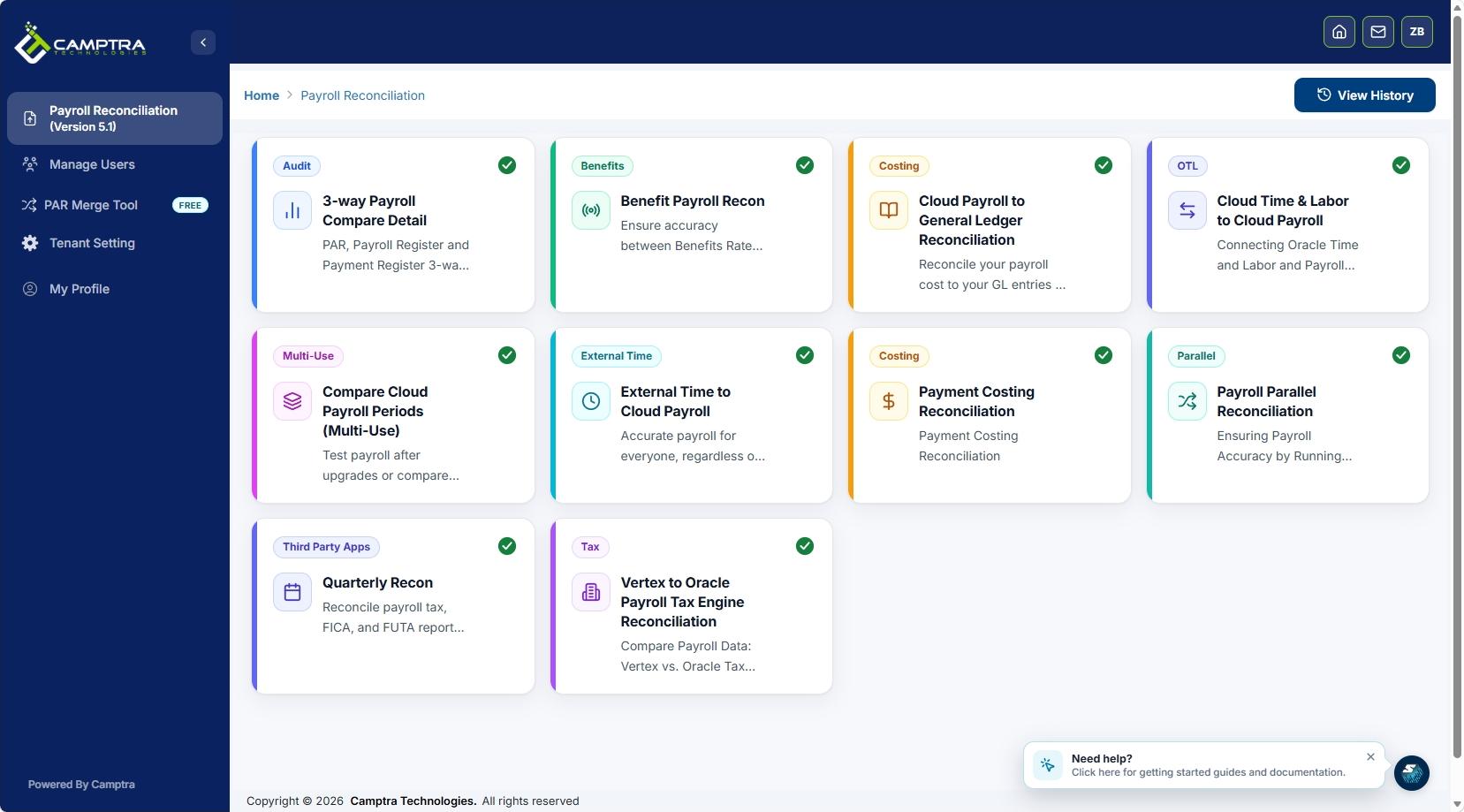
Camptra’s Payroll Recon Toolset connects payroll data across time and attendance, benefits, costing, tax, and general ledger to surface exceptions before payroll cutoff. Role-based access, automated variance detection, and immutable audit logs are built into the workflow, not bolted on after the fact. Teams using Camptra’s toolset have reported reconciliation time reductions of up to 80%, which translates directly into more time resolving exceptions and less time preparing data. If you run Oracle Cloud Payroll and want to see what upstream validation looks like in practice, request sandbox access and run it against your own payroll data.
FAQ
What is a payroll control environment?
A payroll control environment is the integrated framework of policies, roles, technologies, and audit processes that an organization uses to ensure payroll accuracy, security, and compliance with applicable laws and regulations.
What are the core components of payroll internal controls?
The four core pillars are segregation of duties, formal change authorization, regular independent audits, and automated variance reports that detect errors before payroll is finalized.
Why is segregation of duties critical in payroll?
Separating master data maintenance from payroll execution prevents any single employee from both creating and approving a fraudulent payment, which is the most common vector for internal payroll fraud.
How does upstream validation reduce manual reconciliation?
Upstream validation catches errors during the payroll calculation stage, before the archive runs, so teams resolve exceptions proactively rather than correcting payments after they have already been issued.
How often should a payroll control environment be reviewed?
Controls should be reviewed at minimum annually, with targeted updates whenever the organization restructures, grows significantly, or changes payroll systems. Access permissions specifically should be audited quarterly.
