

Payroll Reporting Accuracy Improvement Steps: 2026 Guide

Payroll reporting accuracy improvement steps are defined as the structured controls, validation checkpoints, and process workflows that eliminate errors before they reach employees or regulators. Every payroll cycle carries real financial exposure. IRS penalties for late tax deposits range from 2% to 15% depending on how long the delay runs. That penalty structure alone makes accuracy a financial priority, not just an operational one. The industry term for this discipline is payroll process control, and it covers everything from cutoff enforcement to general ledger reconciliation. This guide walks payroll professionals and financial analysts through each layer of that control framework.
What are the essential payroll reporting accuracy improvement steps?
Payroll accuracy is primarily a process architecture challenge, not a data entry problem. The most reliable payroll operations build controls across four layers: data collection, calculation verification, approval workflows, and reconciliation. Each layer catches what the previous one misses.
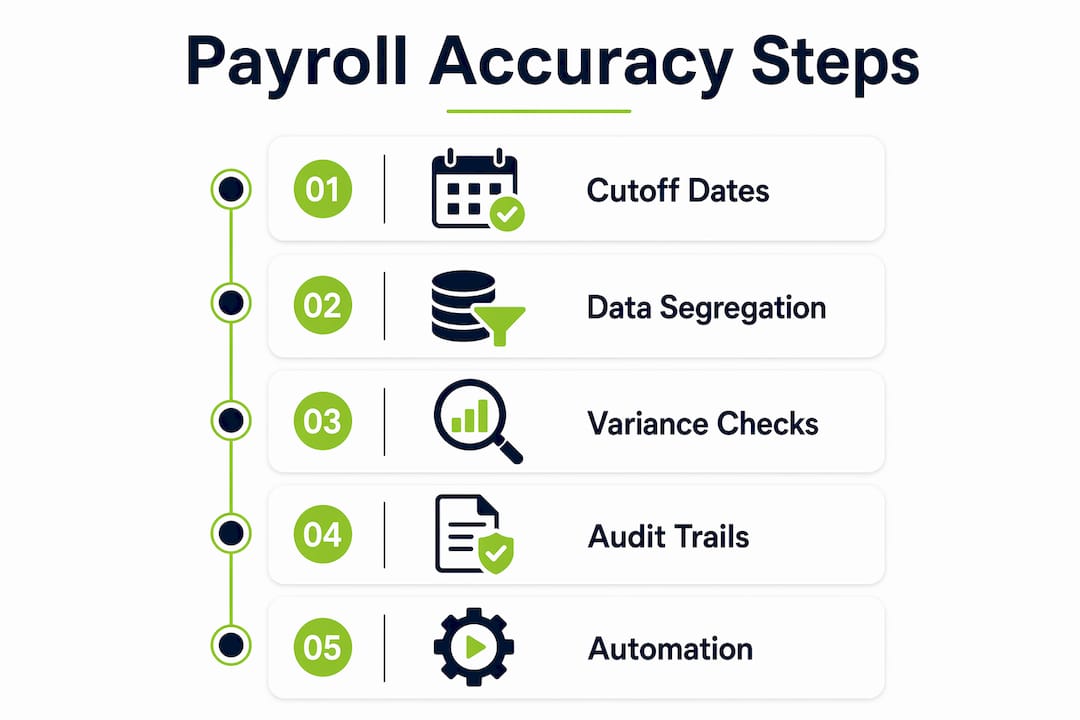
Step 1: Enforce hard payroll cutoff dates
A minimum 2-business-day cutoff before payroll calculation is the industry standard. That window gives managers time to approve timesheets and gives payroll teams time to review exceptions before the run begins. Any change submitted after the cutoff requires a documented exception with a named approver. Without that rule, late entries create last-minute corrections that bypass normal validation.

Step 2: Run a layered data validation checklist
Structured validation checkpoints before each payroll run reduce reliance on post-run corrections. Your checklist should cover:
-
Employee master data: Verify active status, job classification, and pay rate for every employee in the run.
-
Attendance and overtime: Confirm all timesheets are approved and overtime calculations match the applicable pay rules.
-
Tax settings: Check federal, state, and local tax codes against current tables, especially after new hires or address changes.
-
Deductions and benefits: Validate that benefit deductions match current enrollment records.
-
Bank and payment details: Flag any missing or recently changed direct deposit information before processing.
Step 3: Segregate data entry from final approval
A two-person control workflow separating variable pay entry from final payroll approval is critical for both fraud prevention and audit readiness. Allowing the same person to input and approve payroll is a frequent audit finding. Assign one team member to enter variable pay components such as bonuses, commissions, and manual adjustments. Assign a separate approver to review and release the payroll run.
Step 4: Use variance-based reconciliation
Line-by-line payroll reviews create fatigue and miss patterns. Variance-based reporting that flags entries outside a defined threshold, such as ±5% from the prior period, focuses audit effort on the records most likely to contain errors. This approach catches Gross Pay spikes, Net Pay anomalies, and balance adjustments that would otherwise hide in a long register.
Pro Tip: Set your variance threshold based on your organization’s typical pay volatility. A workforce with frequent overtime may need a wider band than a salaried-only population.
Step 5: Maintain complete audit trails
Every payroll change, correction, and exception approval must be logged with a timestamp, user ID, and reason code. Payroll internal controls including audit logs are the primary evidence auditors request during a compliance review. A missing log entry is treated the same as a missing control.
| Control Layer | What It Catches | When It Runs |
|---|---|---|
| Data validation checklist | Missing data, incorrect tax codes, unapproved timesheets | Pre-archive |
| Two-person approval workflow | Unauthorized entries, duplicate components | Pre-archive |
| Variance-based reconciliation | Gross Pay and Net Pay anomalies | Post-archive |
| Audit trail review | Unauthorized changes, missing approvals | Ongoing |
How can technology and automation enhance payroll reporting accuracy?
Manual oversight alone cannot scale to enterprise payroll volumes. Over-reliance on manual processes is a documented pitfall. Automated internal controls with role-based access and audit trails are the current best practice for organizations running thousands of payroll records per cycle.
The most effective technology improvements for improving payroll reporting fall into four categories:
-
HRIS and payroll integration: Automatic data synchronization from your HRIS to your payroll system eliminates the manual re-entry that causes most field-level discrepancies. When an employee’s pay rate changes in the HRIS, it should update in payroll without a separate manual step.
-
Automated validation rules: Systems should flag anomalies automatically before the payroll run, including negative salaries, missing bank details, duplicate pay components, and incorrect tax codes. These rules run in seconds and catch errors that a manual reviewer would miss after hour six of a review session.
-
Employee self-service portals: Giving employees direct access to update their own personal information, tax withholding elections, and direct deposit details reduces the volume of manual corrections your team processes each cycle.
-
Automated tax table updates and deposit confirmations: Late tax deposit penalties are avoidable when tax tables update automatically and deposit workflows trigger without manual intervention.
Pro Tip: When evaluating payroll technology, test whether the system’s validation rules are configurable. Generic rules miss organization-specific pay structures. You need rules that reflect your actual pay components, not a default template.
Camptra’s Payroll Recon Toolset connects timekeeping, payroll, benefits, and general ledger data in real time for Oracle Cloud users. It reconciles millions of records in minutes and reduces reconciliation time by up to 80%, which means your team spends time resolving exceptions rather than finding them.
What are best practices for proactive payroll reconciliation?
Reactive payroll correction is inefficient. Catching an error after the payroll run means issuing corrections, reprocessing tax filings, and communicating with affected employees. Catching it before the run costs a fraction of that effort.
Proactive reconciliation means validating payroll drivers throughout the cycle, not just at the end. Here is a practical sequence:
-
Review attendance and pay changes weekly. Do not wait until the cutoff date to check whether timesheets are approved or pay rate changes have been entered correctly. A weekly review surfaces problems while there is still time to fix them without an exception process.
-
Cross-check payroll registers against HRIS logs. Before each run, compare the payroll register to the HRIS change log for the period. Any change in the HRIS that does not appear in the payroll register is a discrepancy that needs resolution.
-
Apply threshold-based variance reporting. Flag any employee whose pay differs from the prior period by more than your defined threshold. Investigate those records before the run closes.
-
Run a general ledger pre-check. Compare expected payroll costs against the general ledger before posting. Misalignment between payroll and finance data is a common source of audit findings, and catching it pre-post saves significant rework. Camptra’s payroll costing reconciliation tool is built specifically for this step in Oracle Cloud environments.
-
Maintain a closed-loop feedback log. Every discrepancy found during reconciliation should be logged with its root cause and the corrective action taken. That log becomes your process improvement roadmap.
| Reconciliation Check | Data Source | Frequency |
|---|---|---|
| Timesheet approval status | HRIS attendance module | Weekly |
| Pay rate change verification | HRIS change log vs. payroll register | Per cycle |
| Variance-based pay comparison | Prior period payroll register | Per cycle |
| General ledger alignment | Payroll cost report vs. GL | Pre-post |
| Deduction and benefit match | Benefits enrollment vs. payroll deductions | Monthly |
Continuous validation of attendance and pay changes before finalization detects anomalies early. Early detection is the difference between a five-minute fix and a three-day correction cycle.
How to implement cutoffs, approvals, and escalation processes
Cutoff policies only work when they have teeth. A cutoff date that exceptions routinely bypass is not a control. It is a suggestion.
The following structure gives your cutoff policy operational force:
-
Set the cutoff at a minimum of 2 business days before payroll calculation. This is the industry-standard minimum and gives your team enough time to validate data without rushing the review.
-
Require documented exception approvals for all late changes. Every change submitted after the cutoff needs a written justification, a named approver, and a timestamp. Store these in your audit trail system, not in email threads.
-
Implement role-based access controls and multi-factor authentication. Layered internal controls including role-based access prevent unauthorized changes and create a clear record of who touched what and when.
-
Define escalation triggers. If a manager has not approved timesheets by 48 hours before the cutoff, an automated alert should go to their supervisor. If a data inconsistency is flagged by your validation rules and not resolved within 24 hours, it escalates to the payroll manager.
-
Review and update your cutoff and escalation policies quarterly. Payroll complexity changes as organizations grow, add pay groups, or change pay frequencies. Your policies need to keep pace.
Pro Tip: Document your escalation matrix in a single reference document that all stakeholders can access. When a late change arrives at 4:00 PM on cutoff day, your team should not have to guess who approves it.
The payroll reconciliation process during system migrations is where cutoff discipline matters most. Migrations introduce new data flows and temporary gaps in validation coverage. A tight cutoff policy limits the window during which errors can enter undetected.
Key Takeaways
Payroll reporting accuracy requires layered process controls, automated validation, and proactive reconciliation working together across every payroll cycle.
| Point | Details |
|---|---|
| Enforce hard cutoffs | Set a minimum 2-business-day cutoff and require documented exceptions for all late changes. |
| Layer your validation | Run checklists covering employee data, attendance, tax codes, deductions, and bank details before every run. |
| Segregate duties | Separate data entry from final approval to prevent fraud and satisfy audit requirements. |
| Use variance reporting | Flag pay changes outside your defined threshold to focus review effort on high-risk records. |
| Automate where possible | Sync HRIS and payroll data automatically to eliminate manual re-entry as a source of discrepancies. |
Why payroll accuracy is a process design problem, not a checklist problem
Most payroll teams I have worked with treat accuracy as a verification task. They build checklists, run them before each pay run, and call it done. That approach catches some errors. It misses the structural ones.
The payroll operations that consistently achieve clean audits share one characteristic: they treat accuracy as a design constraint, not a review step. Controls are built into the workflow itself. The HRIS and payroll system share a single source of truth. Variance thresholds trigger automated alerts. Approval workflows enforce segregation of duties without relying on anyone to remember the rule.
What I find most underestimated is the value of variance-based reporting. Payroll teams that review every line in a large register are not being thorough. They are creating the conditions for fatigue errors. A well-configured variance report surfaces the five records that actually need attention. That is where your review time belongs.
Segregation of duties gets treated as a compliance checkbox. It is actually your most effective fraud prevention tool. The two-person control workflow is not bureaucracy. It is the reason your audit findings stay manageable.
The shift from reactive correction to preventive control is not a technology decision. It is a process design decision. Technology makes it faster and more reliable. But the architecture has to come first.
— Zach
Camptra’s Payroll Recon Toolset for Oracle Cloud teams
Payroll teams running Oracle Cloud face a specific challenge: connecting timekeeping, payroll, benefits, and general ledger data across systems that do not natively talk to each other. Manual reconciliation at that scale is slow and error-prone.
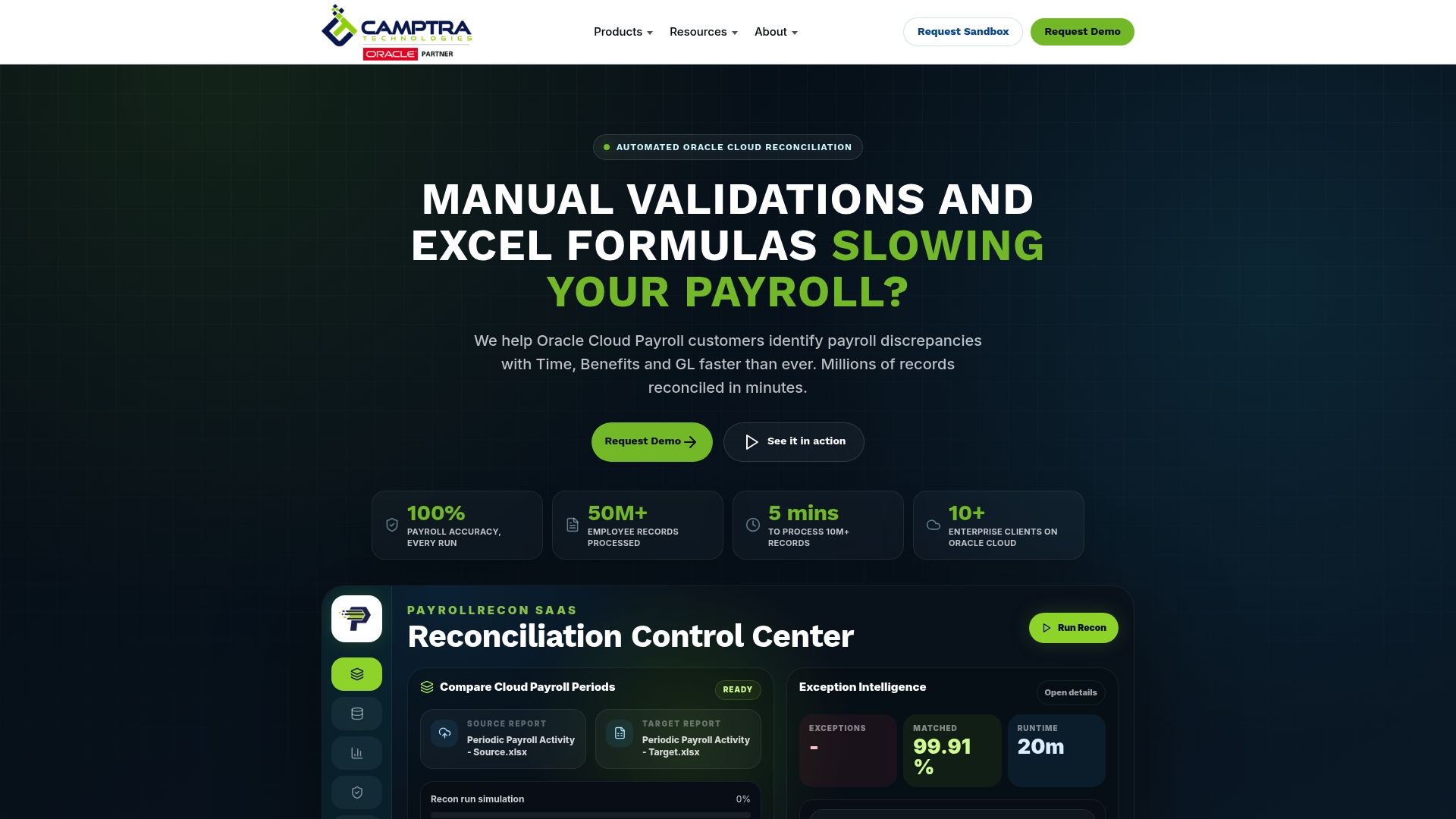
Camptra’s Payroll Recon Toolset automates that validation in real time. It flags exceptions before they become errors, generates audit-ready documentation, and reduces reconciliation time by up to 80%. Enterprise payroll and finance teams use it to achieve 100% payroll accuracy without adding headcount. If you want to see what that looks like at scale, the healthcare network case study covers a 105,000-employee deployment in detail.
FAQ
What is the minimum payroll cutoff window for accuracy?
The industry standard is a minimum of 2 business days before payroll calculation. That window allows time for manager-approved time capture and data validation before the run begins.
How does variance-based reporting improve payroll accuracy?
Variance-based reporting flags payroll entries that fall outside a defined threshold, such as ±5% from the prior period. It focuses review effort on high-risk records instead of requiring a line-by-line audit of every entry.
Why is segregation of duties required in payroll?
Allowing the same person to enter and approve payroll data increases fraud risk and is a frequent audit finding. A two-person control workflow separates data entry from final approval, satisfying both internal control and external audit requirements.
What data should automated validation rules check before a payroll run?
Automated rules should check for negative salaries, missing bank details, duplicate pay components, unapproved timesheets, and incorrect tax codes. These checks catch data issues before they affect employee pay or tax filings.
How does HRIS integration reduce payroll discrepancies?
Automatic data synchronization from the HRIS to the payroll system eliminates manual re-entry. When employee records update in the HRIS, payroll reflects those changes without a separate manual step, removing the most common source of field-level discrepancies.
Recommended
