

For Oracle Cloud Payroll teams, audit readiness comes down to three artifacts: a control matrix mapped to Oracle features, run checklists embedded in Payroll Flow Patterns, and time-stamped evidence exports from the Payroll Command Center and BI Publisher. That combination, with documented owners and retention policies, is the minimum control pack for payroll controls documentation in Oracle Cloud environments. Start here: build the control matrix, insert verification tasks into flows, and schedule reconciliations to GL and bank before each payroll cutoff. Camptra’s Payroll Recon Toolset can automate evidence collection for high-volume runs where manual exports fall short.
Key Takeaways
Effective payroll controls documentation for Oracle Cloud maps every control to a named artifact, assigns an owner, and captures time-stamped evidence at the point of execution, not after the fact.
| Point | Details |
|---|---|
| Map controls to Oracle artifacts | Every control matrix row needs a named Oracle report or process, not a generic description. |
| Embed verification in flows | Add manual sign-off tasks to Payroll Flow Patterns to lock results before costing transfers to GL. |
| Automate high-volume reconciliation | Teams using Camptra’s Payroll Recon Toolset have reported reconciliation time reductions of up to 80%. |
| Define retention at storage time | Apply IRS-compliant retention tags (minimum four years for payroll tax records) when artifacts are stored, not at review. |
| Camptra Technologies | Camptra’s Payroll Recon Toolset automates evidence capture, exception reporting, and parallel-run validation for Oracle Cloud Payroll audit readiness. |
Table of Contents
- What your payroll controls documentation must include
- How Oracle Cloud Payroll artifacts map to each control
- Templates and artifacts your control pack should contain
- How to implement controls inside Oracle Cloud Payroll
- Reconciliation cadence, thresholds, and KPIs to document
- Documenting testing, parallel runs, and change control
- Why automated evidence capture changes the audit equation
- Assembling the audit pack and meeting retention requirements
- What experienced payroll teams prioritize first
- Camptra’s Payroll Recon Toolset accelerates your audit readiness
- Sources
- FAQ
What your payroll controls documentation must include
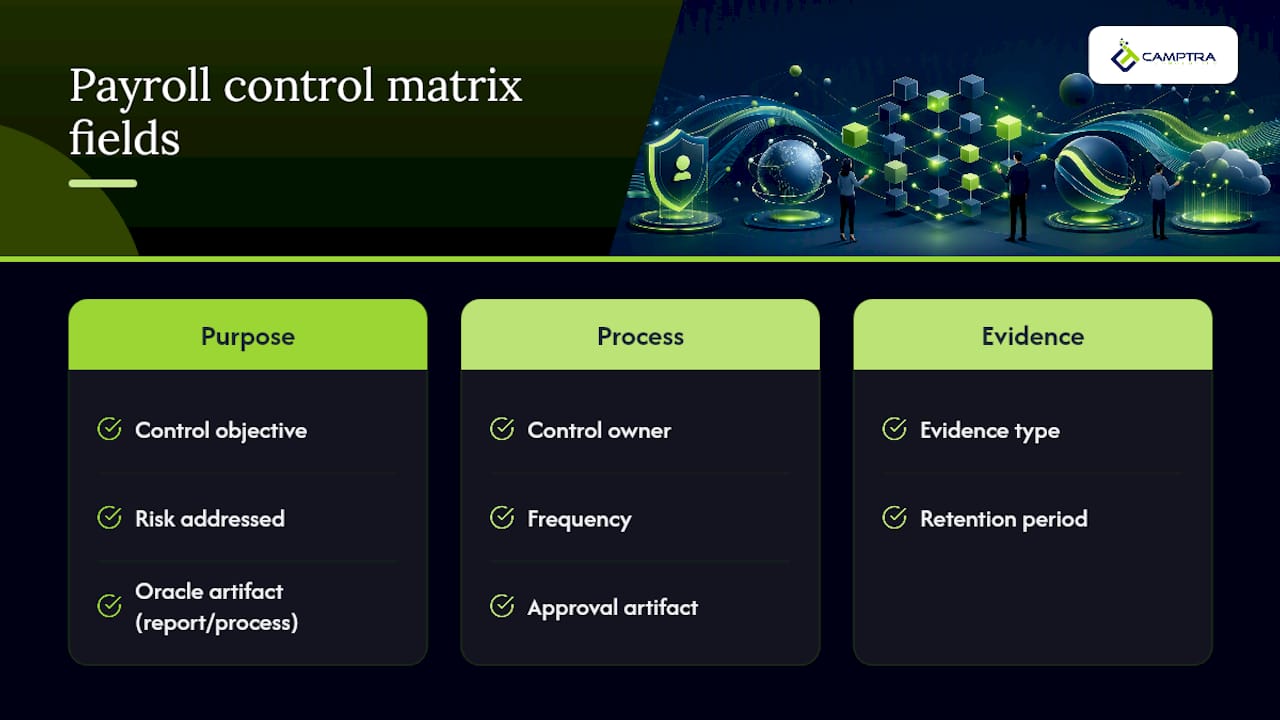
A control matrix is the spine of any Oracle payroll compliance checklist, supported by efficient payroll export and timesheet features that streamline audit documentation. Each row should carry eight fields: control objective, risk addressed, Oracle artifact (report or process name), control owner, frequency, evidence type, retention period, and approval artifact. Without all eight, auditors will ask for the missing column.
Structure your controls across three phases:
Pre-run controls cover data integrity before calculation begins. Document assignment set selection, consolidation set configuration, value set validation, and data cutoff confirmation. Evidence: PAY034 integrity report and RUNCTL_PRESHEET parameter screenshots.
Run controls cover the calculation cycle itself. Document paysheet creation (RUNCTL_PAYSHEET), PAY011 Payroll Error Messages review, locked-task confirmation, and the iteration policy — how many recalculations are permitted, which errors are flagged “continue with errors,” and who authorizes final pay confirmation. Oracle’s pay-calculation process is iterative by design, so the iteration policy must be explicit.
Post-run controls cover costing transfer, payment distribution, and bank reconciliation. Document the Payments Summary report, Payments Register, and Cash Management auto-reconciliation outputs.
Retention (US): Keep payroll registers, reconciliation workpapers, and W-2/1099 run outputs per IRS and applicable state guidance. Time-stamp every evidence export at capture, not at review.
Pro Tip: Per OneDigital’s practitioner guidance, not everything needs documenting. Prioritize controls tied to reconciliation, taxes, and payment distribution, and keep each entry linked to a named evidence output.
How Oracle Cloud Payroll artifacts map to each control
Every control in your matrix needs a named Oracle artifact so auditors can verify it without guessing. The Oracle Payroll Processing Management Guide covers the full artifact set, from the Payroll Command Center dashboards to BI Publisher templates for W-2 and 1099 generation.
| Control Category | Oracle Artifact | Expected Evidence Output |
|---|---|---|
| Pre-run integrity | PAY034 Integrity Report, RUNCTL_PRESHEET | Integrity report PDF, parameter log |
| Assignment/consolidation set | Consolidation Sets, Assignment Sets page | Set configuration screenshot or export |
| Pay calculation | PSPPYRUN, PAY011 Error Messages | Error message report, iteration log |
| Paysheet creation | RUNCTL_PAYSHEET, Create Paysheets process | Paysheet creation log |
| Post-run costing | Costing Transfer process, GL journal | Costing transfer confirmation, journal entry |
| Payments distribution | Payments Summary, Payments Register | Register PDF, NACHA/EFT file confirmation |
| Bank reconciliation | Oracle Cash Management auto-reconciliation | Reconciliation statement (payment number + amount match) |
| Year-end reporting | BI Publisher W-2/1099 templates | W-2/1099 register, exception report |
The technical payroll cycle overview maps which programs write which tables and generate which registers, giving you the low-level evidence trail auditors expect for journal-entry testing.
Templates and artifacts your control pack should contain
Your control pack needs five concrete artifacts, each stored with a version date and owner signature.
- Control matrix: Columns as listed above; one row per control; populated with Oracle artifact names, not generic descriptions.
- Pre/post-run checklist: A sign-off sheet listing each task, the responsible owner, completion timestamp, and the evidence file name. Pre-run tasks end with PAY034 sign-off; post-run tasks end with Payments Register confirmation and GL transfer verification.
- Exception log: Captures exception type, investigation steps, owner, resolution timestamp, and the post-run evidence file that confirms resolution. Never close an exception without a linked artifact.
- Reconciliation workbook: Connects payroll register totals to GL journal entries and bank statement line items. Include variance columns and a threshold flag.
- BI Publisher report set: Store W-2/1099 template files alongside sample run outputs and the exception reports generated at year-end. Link each template to its corresponding register in the artifact index.
Reconciling payroll activity, register, and payment outputs requires matching three distinct report types, so your workbook template should have a dedicated tab for each source before the consolidated variance summary.
How to implement controls inside Oracle Cloud Payroll
Follow this sequence to move from a documented matrix to an operating control environment:
- Build the control matrix and map value sets. Confirm every control row has an Oracle artifact name and a named owner before touching system configuration.
- Create or edit Payroll Flow Patterns. Add manual verification tasks at pre-run and post-run checkpoints. Payroll Flow Patterns support predefined tasks, flow connectors, and ownership rules that force sign-off before the next task can proceed.
- Assign task ownership. Set individual or group ownership on each flow task. The Command Center task log captures who completed each task and when, creating an immutable audit trail.
- Configure flow parameters and link BI Publisher reports. Attach the relevant register or exception report to the flow so output is generated automatically at the correct step, not retrieved manually afterward.
- Run a pilot and capture evidence. Execute a test run, export all evidence files, and verify the control matrix entries match the actual outputs before the first live run under the new flow.
Locking costing transfer behind a verified post-run task is the single most effective configuration change you can make. It prevents premature GL transfers when exceptions are still open.
Pro Tip: Document your consolidation set and assignment set selections in the flow parameters log for every run. Oracle’s consolidation set controls determine which payroll runs are grouped for downstream processing, and an undocumented change here can produce apples-to-oranges register comparisons that take hours to untangle.
Reconciliation cadence, thresholds, and KPIs to document
Three reconciliation types belong in every control pack: payroll register to GL, payroll register to time and attendance source, and payment register to bank statement. Each needs a timestamped extract as evidence and a signed reconciliation workbook.
| Reconciliation Type | Recommended Frequency | Tolerance Threshold | Escalation Trigger |
|---|---|---|---|
| Payroll register to GL | Each pay run | Variance (journal must match net pay) | Any unreconciled difference |
| Payroll register to time & attendance | Pre-run, each cycle | Hours variance under 0.5% of total hours | Any individual employee variance over 1 hour |
| Payment register to bank statement | Within 2 business days of payment date | No unmatched payments | Any unmatched item after 48 hours |
Document these KPIs in the control pack and report them each cycle:
- Exception count per run (by category: calculation, costing, payment)
- Time-to-reconcile (from pay confirmation to signed workbook)
- Variance to GL (dollar amount and percentage of gross payroll)
- Percent of payments auto-reconciled via Cash Management
- Open-exception aging (exceptions unresolved beyond 24 hours)
Tracking reconciliation steps and their financial risk implications alongside these KPIs gives finance leadership a clear view of control health without requiring them to read the full workbook.
Documenting testing, parallel runs, and change control
Every change to payroll logic, a tax rule update, or a system upgrade needs a change-control record before it touches production. Capture:
- Change request ID and business justification
- Test scripts and the environment where testing occurred
- Parallel-run results: side-by-side extracts from old and new logic, with a signed variance tolerance sign-off
- Regression test sign-off from the payroll owner and IT
- Rollback instructions: step-by-step, with the name of the process rollback program and the approval required for any post-rollback corrections
For an upgrade window, store the parallel-run comparison as a timestamped extract pair, not a summary memo. Auditors want the raw register outputs, not a narrative description of what they showed. Rollback documentation must include the timestamped process rollback outputs and a log of any balance adjustments applied after rollback.
Why automated evidence capture changes the audit equation
Manual evidence collection at scale is where control packs break down. A payroll team processing hundreds of thousands of records per cycle cannot reliably export, label, and store every required artifact by hand without introducing gaps. Automated tools produce field-level mappings, exception dashboards, and timestamped reconciliation workpapers that are consistent run over run.
Audit-ready automated evidence includes: field-level source-to-target mappings, exception reports with owner and resolution status, timestamped reconciliation workpapers exportable as PDFs, and a full audit pack assembled without manual file gathering.
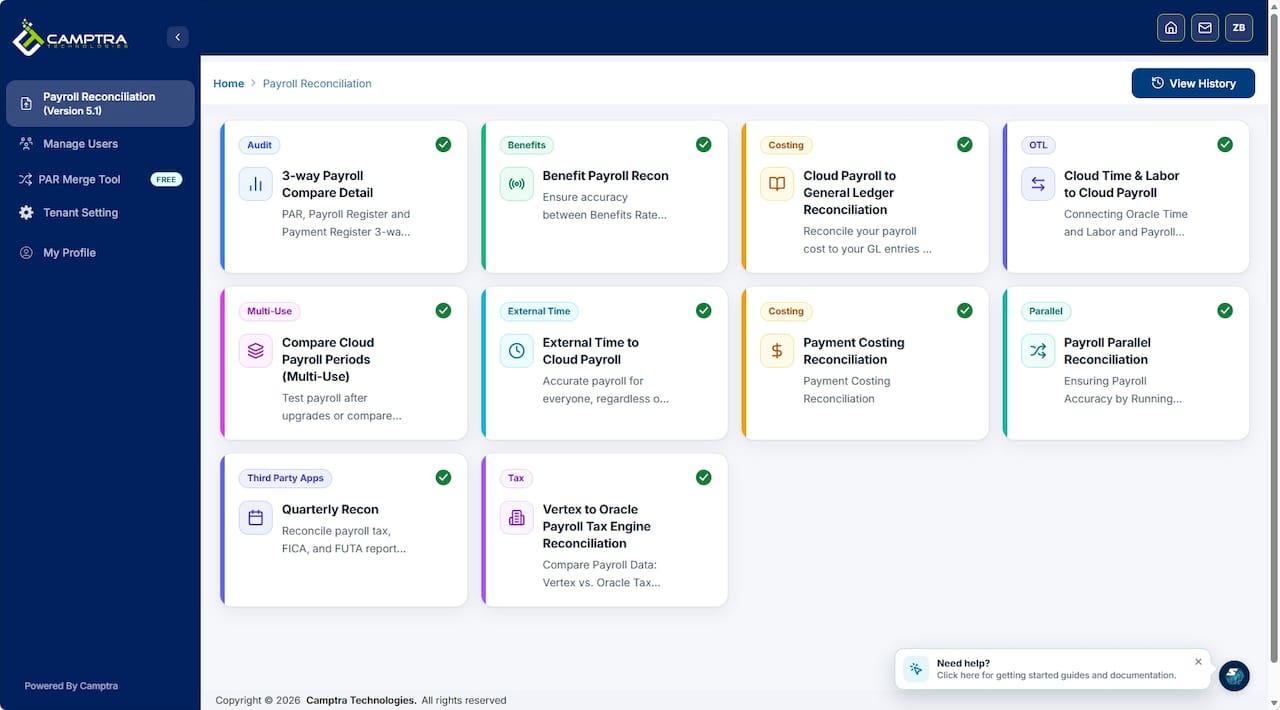
Camptra’s Payroll Recon Toolset connects payroll, time and attendance, benefits, costing, tax, and GL data in one reconciliation environment. Customers have reported reconciliation time reductions of up to 80%, with exceptions surfaced before cutoff rather than discovered during audit. The tool also supports parallel-run validation for upgrades and migrations, producing the signed comparison extracts your change-control records require.
Assembling the audit pack and meeting retention requirements
When an auditor arrives, they expect a single, indexed package. Your audit pack should contain:
- Signed control matrix (current version with owner names)
- Pre/post-run checklists for the audit period, with timestamps
- Reconciliation workpapers (payroll-to-GL, payroll-to-time, payroll-to-bank)
- Exception logs with resolution evidence
- BI Publisher outputs: W-2/1099 registers and exception reports
- Change-control records for any logic changes during the audit period
Retention (US): The IRS generally requires payroll tax records for at least four years after the tax is due or paid. Many states impose longer requirements. Apply retention tags in your document repository at the time of storage, not at the time of review. Store all artifacts in a centralized, access-controlled repository with immutable audit logs and versioning. SharePoint with strict permission groups, a dedicated GRC platform, or a secure file store with version history all satisfy this requirement. Payroll documentation best practices consistently recommend a payroll calendar and audit schedule stored alongside the artifact set so the retention clock is visible.
What experienced payroll teams prioritize first
The most common mistake is treating documentation as a post-audit cleanup task. The teams that pass audits cleanly build the control matrix before the next run, not after the finding.
If your time is constrained, work in this order. First, map every control to a named Oracle artifact and assign an owner. A control without an owner is not a control. Second, automate evidence capture for your highest-volume reconciliations, specifically payroll-to-GL and payroll-to-bank, where manual export errors compound fastest. Third, document and rehearse your rollback and parallel-run procedures before you need them. A rollback plan that has never been tested is a narrative, not a control.
Embedding verification tasks in Payroll Flow Patterns rather than relying on ad-hoc manual checks is the single configuration decision with the highest audit return. Task completion timestamps in the Command Center log are stronger evidence than a spreadsheet of manual sign-offs, because they cannot be backdated.
Camptra’s Payroll Recon Toolset accelerates your audit readiness
High-volume Oracle Cloud Payroll environments need more than a well-designed control matrix. They need reconciliation infrastructure that keeps pace with the data. Camptra’s Payroll Recon Toolset gives payroll, finance, and audit teams automated mapping across time and attendance, payroll, benefits, costing, tax, and GL, with exceptions surfaced before cutoff and audit-ready exports assembled without manual file gathering.
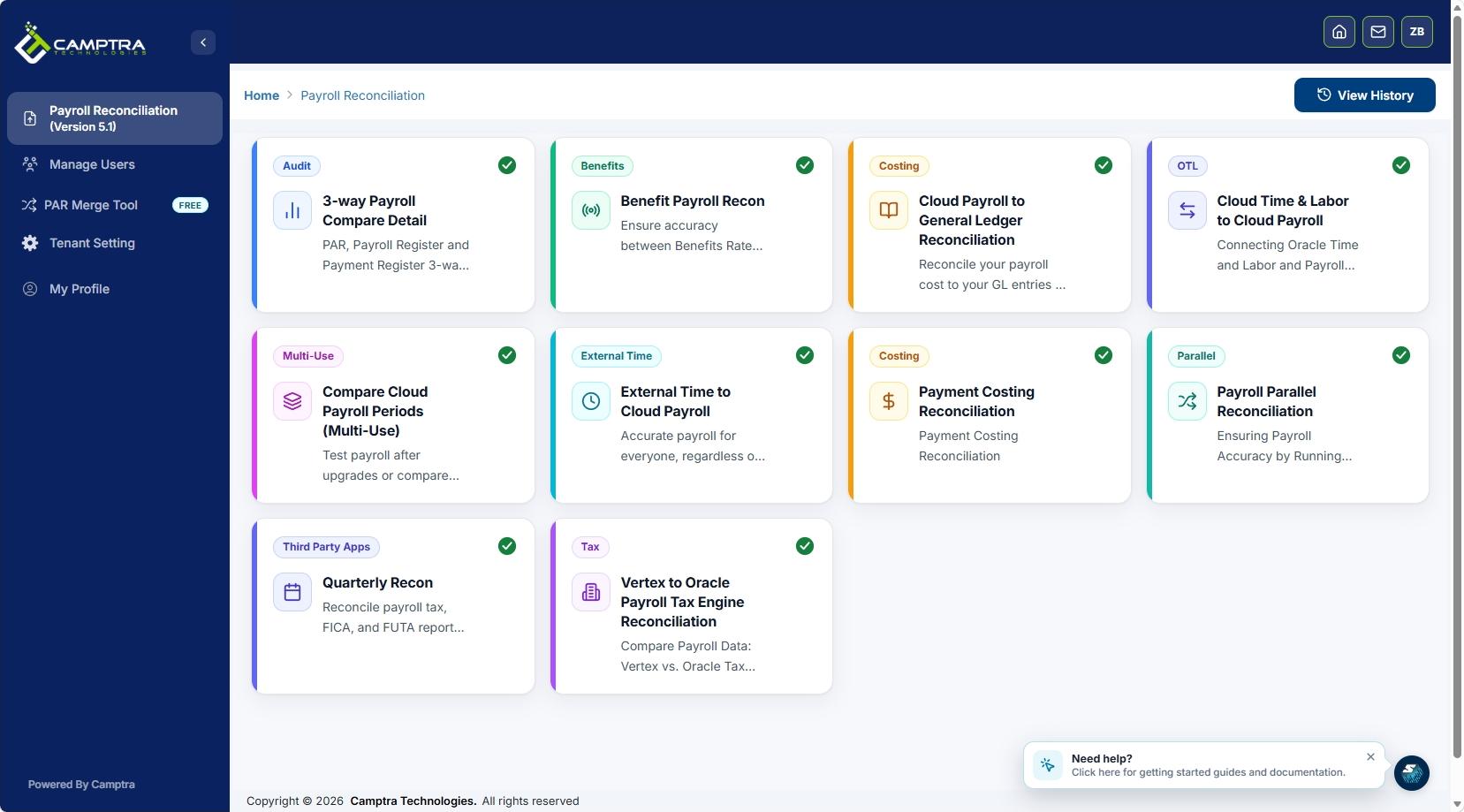
The tool also supports parallel-run validation for upgrades and migrations, producing the signed comparison extracts your change-control records require. See how a healthcare system reduced audit time and achieved its earliest financial close using Camptra’s approach. Request sandbox access to review a sample audit pack and reconciliation dashboard against your own Oracle environment.
Sources
- Oracle Fusion Cloud Human Resources — How do I set up payroll flows? (playbook)
- Payroll Precision: Why Every Business Needs Clear Payroll Process Documentation | OneDigital
This article is general information, not a substitute for advice from a qualified financial advisor. Consult a qualified financial professional about your own circumstances before acting on anything here.
FAQ
What is the minimum control pack for Oracle Cloud Payroll audit readiness?
A control matrix mapped to Oracle artifacts, signed pre/post-run checklists with timestamps, and reconciliation workpapers covering payroll-to-GL, payroll-to-time, and payroll-to-bank constitute the minimum audit-ready control pack.
How do Payroll Flow Patterns support payroll controls documentation?
Payroll Flow Patterns let you embed manual verification tasks with ownership rules that lock results and capture task-completion timestamps in the Command Center log, creating stronger audit evidence than manual sign-off spreadsheets.
How long must US employers retain payroll records?
The IRS generally requires payroll tax records for at least four years after the tax is due or paid; many states set longer retention periods, so apply the longer of the two requirements.
How does Camptra’s Payroll Recon Toolset fit into Oracle payroll controls?
Camptra’s Payroll Recon Toolset automates reconciliation across payroll, time, benefits, costing, tax, and GL, producing timestamped audit-ready exports and parallel-run comparison extracts that satisfy change-control documentation requirements.
Which Oracle report should you review before pay confirmation?
Review the PAY011 Payroll Error Messages report after each calculation iteration and correct all non-transferable errors before authorizing final pay confirmation, as Oracle’s pay-calculation process is iterative by design.
