

Oracle Fusion Cloud HCM (Payroll) delivers a complete set of audit reporting tools when you run them in the right sequence: validate → calculate → exception checks → archive → register/extract → security evidence. The delivered reports that produce audit-ready outputs are the Payroll Data Validation Report, Balance Exception Report, Payroll Register Report, Payroll Activity Report, Payment Register Report, HCM Extracts (Employee Payroll Balances and Run Results Extract template), Manage Audit Policies/Audit History, and the User and Role Access Audit Report. Run them out of sequence and you get incomplete evidence. Run them correctly and your audit package is defensible.
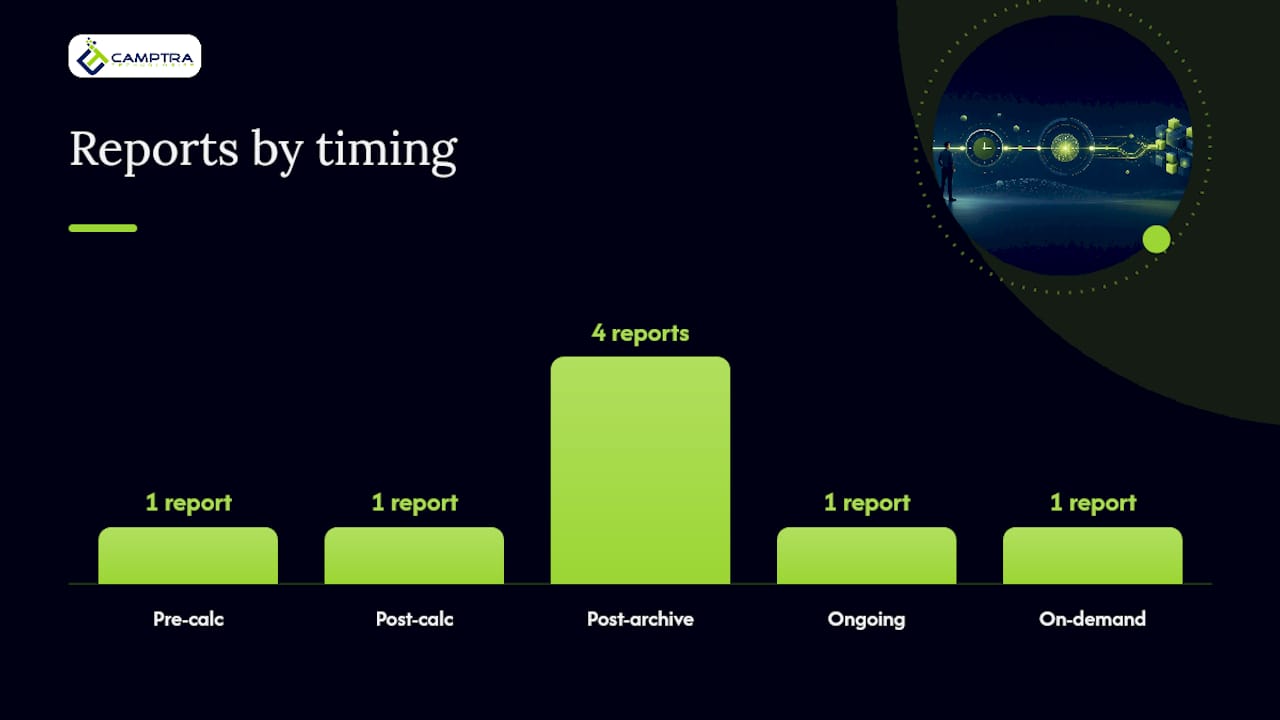
Here is the sequence at a glance:
- Payroll Data Validation Report — pre-calc; flags missing statutory setup by PSU before errors enter the run
- Balance Exception Report — post-calc; identifies potential overpayments and underpayments by balance dimension
- Payroll Register Report (Latest Process or Periodic) — post-archive; audit trail of hours, earnings, and deductions by PSU/TRU
- Payroll Activity Report (Periodic) — post-archive; detailed transaction-level view of payroll run results
- Payment Register Report — post-archive; employee-level payment distributions for reconciliation
- HCM Extracts / Employee Payroll Balances and Run Results Extract — post-archive; bulk balance and run-result extraction for large volumes
- Manage Audit Policies / Audit History — ongoing; before/after attribute changes on payroll business objects
- User and Role Access Audit Report — on-demand; security privilege evidence from Applications Security tables
For teams managing high-volume US payrolls, Camptra’s Payroll Recon Toolset connects to these Oracle outputs and automates the reconciliation, exception surfacing, and evidence packaging that would otherwise consume days of manual effort.
Key Takeaways
Oracle payroll audit reporting requires a fixed sequence of validation, calculation, exception checks, archival, and extraction steps — skipping or reordering any step produces incomplete or indefensible audit evidence.
| Point | Details |
|---|---|
| Sequence is the control | Run Payroll Data Validation Report pre-calc, Balance Exception Report post-calc, and register/extract reports only after archive completes. |
| Archive is a hard prerequisite | Payroll Register, Payment Register, and HCM Extracts all require a successful periodic payroll archive before they reflect the audited period. |
| Audit Policies must be configured | Manage Audit Policies requires explicit attribute selection; without it, Audit History produces no before/after evidence for payroll business objects. |
| Use the right extraction task for volume | For large populations, the Latest Process and Periodic register tasks run significantly faster than the legacy report while producing equivalent outputs. |
| Camptra Technologies automates the gap | Camptra’s Payroll Recon Toolset connects Oracle HCM outputs to automated reconciliation and exception dashboards, significantly reducing reconciliation time for customers. |
Table of Contents
- What audit evidence does each Oracle delivered payroll report produce?
- How do you configure Manage Audit Policies for payroll business objects?
- Running Payroll Register and Payroll Activity reports for US payrolls
- How do pre-run and post-run validation reports catch payroll problems early?
- How do HCM Extracts handle large-volume payroll balance extraction?
- What security artifacts does the User and Role Access Audit Report produce?
- A practical, audit-ready workflow: step-by-step checklist
- What most teams get wrong about Oracle payroll audit reporting
- Camptra’s Payroll Recon Toolset cuts audit prep time significantly
- Sources
- FAQ
What audit evidence does each Oracle delivered payroll report produce?
Oracle’s delivered payroll reports cover distinct audit questions. Knowing which report answers which question prevents you from running the wrong task and getting incomplete evidence.
| Report | Timing | Audit Question Answered | Output Format |
|---|---|---|---|
| Balance Exception Report | Post-calc | Are there overpayments or underpayments vs. prior period? | Exception list by balance dimension |
| Payroll Register Report (Latest Process / Periodic) | Post-archive | What are the hours, earnings, and deductions for this run by PSU/TRU? | Detail or Summary; CSV/PDF |
| Payroll Activity Report (Periodic) | Post-archive | What transactions occurred in this payroll run? | Detail by element/person |
| Payment Register Report | Post-archive | What payments were distributed and to which accounts? | Employee-level payment detail |
| HCM Extracts (Employee Payroll Balances and Run Results) | Post-archive | What are the YTD/QTD/MTD balances for bulk populations? | CSV/ZIP via Submit a Flow |
| Manage Audit Policies / Audit History | Ongoing | What changed on payroll business objects, who changed it, and when? | Audit history work area / export |
| User and Role Access Audit Report | On-demand | Who has security privileges to view or modify payroll data? | CSV files inside ZIP |
Choosing Latest Process vs. Periodic vs. Legacy runs:
- Use Run Payroll Register Report for the Latest Process or Run Periodic Payroll Register Report for large volumes; Oracle documents these tasks run significantly faster than the legacy Run Payroll Register Report while producing equivalent results under matching parameters.
- Use the legacy Run Payroll Register Report only when a specific downstream integration requires it or when the faster tasks are unavailable in your environment.
- For year-end YTD totals, the Latest Process task with the YTD Total Only parameter set is the most efficient path.
Pro Tip: For year-end or high-volume periods, default to the Latest Process or Periodic extraction tasks. They are documented to match legacy outputs and will not leave your team waiting hours for a single register run.
How do you configure Manage Audit Policies for payroll business objects?
Manage Audit Policies is the configuration layer that determines whether Oracle captures before/after attribute values on payroll business objects. Without it, your Audit History work area is empty when auditors ask what changed.
- Navigate to Setup and Maintenance and search for Manage Audit Policies.
- Select the Oracle Fusion Human Capital Management product area.
- Expand HCM Payroll and select the business objects you need to audit (element entries, payroll definitions, costing, balance adjustments, and other master data attributes).
- For each object, select the specific attributes to track. Oracle only captures before/after values for attributes you explicitly enable here.
- Save and activate. Changes take effect on subsequent transactions.
- To view history, navigate to the Audit History work area, filter by object type and date range, and export for evidence packaging.
Duty roles to verify: Users who configure audit policies typically need the Audit Trail Management duty role. Users who view or export audit history need Audit Trail Report Viewing. Confirm these assignments in the Security Console before your audit window opens.
Pro Tip: Select a targeted attribute set rather than auditing every available attribute. Auditing too broadly degrades system performance. Prioritize payroll-relevant master data: element entry amounts, costing segments, balance adjustment amounts, and payroll definition effective dates.
Running Payroll Register and Payroll Activity reports for US payrolls
The Payroll Register Report is Oracle’s primary audit trail for a payroll run, covering hours, earnings, and deductions by PSU and TRU. Getting the parameters right determines whether the output is usable evidence or an apples-to-oranges comparison.
| Parameter | What It Controls | Why It Matters for Audits |
|---|---|---|
| Payroll Statutory Unit (PSU) | Scopes the run to a legal entity | Ensures evidence matches the audited entity; cross-PSU runs mix populations |
| Tax Reporting Unit (TRU) | Narrows to a specific tax filing unit | Required when auditors need evidence by EIN or state registration |
| Scope: Detail vs. Summary | Employee-level rows vs. aggregate totals | Detail is required for employee-level audit evidence; Summary for executive review |
| Latest Process YTD Total Only | Limits output to YTD balances for the latest process | Efficient for year-end audits; avoids redundant period rows |
| Balances Reported: Payment vs. Nonpayment | Includes or excludes nonpayment runs | Include nonpayment for complete balance evidence; exclude for payment-only reconciliation |
| Process End Date | Sets the upper boundary of the reporting period | Must match the archived payroll period to avoid missing or duplicate rows |
Best practices for register runs:
- Confirm the periodic payroll archive completed successfully before submitting any register or payment report. Oracle requires a successful archive; if it has not completed, downstream reports will not reflect the audited period.
- Use Detail scope for employee-level audit evidence. Summary scope is useful for finance sign-off but does not satisfy auditor requests for individual payroll records.
- Set Process End Date to the last day of the pay period being audited, not today’s date.
- For YTD reconciliation, run the Latest Process task with YTD Total Only enabled to avoid processing every prior period individually.
- For large populations, use the Periodic task and monitor output size; very large runs may benefit from splitting by TRU.
For a deeper comparison of how the Payroll Activity Report, Payroll Register, and Payment Register relate to each other during reconciliation, see reconciling all three reports.
How do pre-run and post-run validation reports catch payroll problems early?
Catching exceptions before payroll calculates is far less costly than correcting them after payments are issued. Oracle provides distinct validation tools for each phase.
Pre-calculation checks:
- Run the Payroll Data Validation Report for your PSU. Oracle positions this report specifically to identify missing or noncompliant statutory information — missing TRU assignments, absent tax withholding elections, or incomplete element setup — before the calculate process runs.
- Review the output by person. Each flagged record identifies the specific missing attribute and the corrective action required.
- Correct master data in the relevant HCM work areas (Manage Element Entries, Manage Payroll Relationships, Manage Tax Reporting Units).
- Re-run the Payroll Data Validation Report to confirm all flags are cleared before submitting Calculate Payroll.
Post-calculation checks:
- Run the Balance Exception Report immediately after Calculate Payroll completes. This report identifies values that vary for the same balance dimension across periods, surfacing potential overpayments or underpayments.
- Review each exception row: compare the current period value against the prior period baseline and determine whether the variance is expected (a bonus, a termination payout) or anomalous.
- For anomalous variances, isolate by PSU, TRU, or person. Reproduce the calculation for the flagged employee and trace the variance to its source: an element entry change, a balance adjustment, or a retroactive entry.
- Correct the root cause, then re-run Calculate Payroll for the affected population before proceeding to archive.
Pro Tip: Sequence these checks as mandatory gates in your payroll flow, not optional post-processing steps. Exceptions resolved before archival mean your archived evidence reflects corrected, accurate data. Exceptions discovered after archival require balance adjustments and a re-archive, which extends your audit window and creates additional evidence to explain.
For a structured approach to triaging discrepancies found in these reports, the payroll discrepancy audit process guide covers isolation and correction steps in detail.
How do HCM Extracts handle large-volume payroll balance extraction?
Delivered register reports are sufficient for standard payroll runs. For populations in the tens of thousands, year-end W-2 reconciliation, or automated downstream delivery, HCM Extracts is the right tool.
Setting up the Employee Payroll Balances and Run Results Extract:
- Navigate to Data Exchange and select Extract Definitions.
- Choose Create and select Create from Template.
- Select the delivered Employee Payroll Balances and Run Results Extract template as your starting point.
- Set the root context to PAYROLL_REL_ACTION_ID to ensure the extract retrieves data at the payroll relationship action level.
- Add or confirm the following attributes in the extract definition:
| Attribute | Purpose |
|---|---|
| Payroll Action ID | Links extract rows to a specific payroll run |
| Run Dimension short codes (run, month, quarter, year) | Retrieves balance values by dimension using Procedure element types |
| TRU / PSU | Scopes evidence to the correct legal and tax entity |
| Balance Category | Groups balances (Gross Pay, Net Pay, Tax, Deductions) |
| Balance Amount | The actual balance value for reconciliation |
| Payroll Action Effective Date | Ties the balance to the correct period |
| Person ID | Enables employee-level traceability |
- Set Extract Type to Other Payroll Archive so the extract reads from archived payroll data.
- Submit via Submit a Flow, selecting the extract definition and the target payroll period.
When to use HCM Extracts vs. delivered register tasks:
- Use HCM Extracts when population size makes register reports impractical, when you need automated delivery to a downstream system, or when auditors require a structured data file rather than a formatted report.
- Use delivered register tasks (Payroll Register, Payment Register) when you need formatted, human-readable output for review meetings or when the population is manageable within a single report run.
Pro Tip: Before submitting a large extract, confirm archival is complete for the target period. An extract running against unarchived data will either fail or return incomplete balance rows — both outcomes waste time during a tight audit window.
What security artifacts does the User and Role Access Audit Report produce?
Security evidence is the layer most teams under-prepare. Auditors under SOX or internal control frameworks will ask who had access to payroll data during the audit period, and the answer must come from a time-stamped, system-generated artifact.
Security artifacts to capture:
- User and Role Access Audit Report outputs: Oracle generates CSV files inside ZIP archives. When you select the Data Security Policies parameter, the report produces a separate DataSec CSV file. Depending on parameters, the report may produce one or two ZIP files.
- Import User and Role Application Security Data process: This process populates the Applications Security tables that the User and Role Access Audit Report reads from. Run this process before generating the report to ensure the data reflects the current state of role assignments.
- Audit History exports: Export from the Audit History work area for the payroll audit window. These exports document changes to payroll business object attributes with before/after values, user IDs, and timestamps.
- Payroll register and detail extracts: The ZIP and CSV outputs from HCM Extracts and register reports serve as calculation evidence, complementing the security artifacts.
The User and Role Access Audit Report reads directly from Applications Security tables, so the Import process is a prerequisite, not optional. If the tables are stale, the report reflects outdated role assignments.
Pro Tip: Schedule the Import User and Role Application Security Data process to run at the start of each payroll audit window, then immediately generate the User and Role Access Audit Report. Save the time-stamped ZIP outputs with the payroll period identifier in the file name. This gives auditors a clear chain of custody: here is who had access, here is when the snapshot was taken, and here is the payroll period it covers.
A practical, audit-ready workflow: step-by-step checklist
This workflow maps the full Oracle payroll audit reporting lifecycle, from pre-week validation through evidence packaging. Adapt timing to your pay frequency; the relative sequence is fixed.
Numbered checklist:
- T-2 (two days before calculate): Run Payroll Data Validation Report by PSU. Correct all flagged records. Re-run to confirm zero exceptions.
- T-1: Complete any balance adjustments and retroactive entry corrections. Confirm element entries and TRU assignments are accurate.
- D (calculate day): Submit Calculate Payroll. Monitor for completion.
- D+0: Run Balance Exception Report. Triage all variances. Correct root causes and re-run Calculate Payroll for affected employees as needed.
- D+0 to D+1: Submit the periodic payroll archive. Confirm successful completion before proceeding. This is a hard prerequisite for all downstream register and extract tasks.
- D+1: Run Payroll Register Report (Latest Process or Periodic, Detail scope, correct PSU/TRU, Process End Date set to period end). Run Payroll Activity Report (Periodic). Run Payment Register Report.
- D+1: Submit HCM Extracts for bulk balance evidence. Confirm Extract Type is set to Other Payroll Archive.
- D+1 to D+2: Run Import User and Role Application Security Data. Generate User and Role Access Audit Report. Save ZIP outputs with period-labeled file names.
- Evidence packaging: Assemble all outputs into a versioned evidence folder with a manifest file linking report names, flow IDs, process end dates, and PSU/TRU scope.
Roles and responsibilities:
| Role | Responsibilities |
|---|---|
| Payroll Operations | Run validation reports, calculate payroll, triage exceptions, submit archive |
| HRIS / Configuration | Configure Manage Audit Policies, maintain attribute selections, export Audit History |
| Security / Admin | Run Import User and Role Application Security Data, generate and archive User and Role Access Audit Report ZIPs |
| Finance | Review Payment Register, reconcile payment distributions to GL |
| Internal Audit | Review assembled evidence package, confirm completeness against audit checklist |
For compliance context on payment timing obligations that affect your Payment Register reconciliation, U.S. final paycheck rules vary by state and directly impact when payment evidence must be available.
Pro Tip: Keep a persistent, versioned evidence folder for every payroll period. Include a manifest file that maps each artifact to its flow ID, process end date, PSU, and TRU. When an auditor asks “show me the evidence for the March 15 payroll run,” you open one folder, not six spreadsheets.
For a complete controls checklist aligned to this workflow, the enterprise payroll controls checklist covers Oracle-specific gate checks from pre-calc through post-archive.
What most teams get wrong about Oracle payroll audit reporting
The most common failure in Oracle payroll audit reporting is treating it as a reporting problem when it is actually a sequencing problem. Teams run the right reports in the wrong order, then spend days explaining why the numbers in the Payroll Register do not match the Balance Exception Report output from two days earlier.
The second failure is under-configuring Manage Audit Policies. If you have not explicitly selected payroll business object attributes to audit, the Audit History work area is empty. Auditors asking for before/after evidence on element entry changes or balance adjustments get nothing. This is not a system limitation — it is a configuration gap that takes less than an hour to close, yet it surfaces during audits as a material control deficiency.
Large-volume extraction is where the third failure lives. Teams default to running the legacy Payroll Register Report for populations of 50,000+ employees, then wonder why the job runs for hours or times out. The Latest Process and Periodic tasks exist precisely for this scenario and are documented to produce equivalent outputs. Switching to them is a parameter change, not a project.
The underlying pattern across all three failures is the same: Oracle payroll audit reporting rewards teams that treat the workflow as a sequence of dependent steps, not a menu of reports to run on demand. Sequence it correctly, configure audit policies before you need them, and use the right extraction task for your volume. The audit package assembles itself.
Camptra’s Payroll Recon Toolset cuts audit prep time significantly
If your team is spending days assembling the evidence that the workflow above describes, the bottleneck is almost never the Oracle reports themselves. It is the manual reconciliation that happens between them: comparing register outputs to GL entries, cross-referencing PSU and TRU populations, and chasing variances across spreadsheets before anyone has time to package evidence.
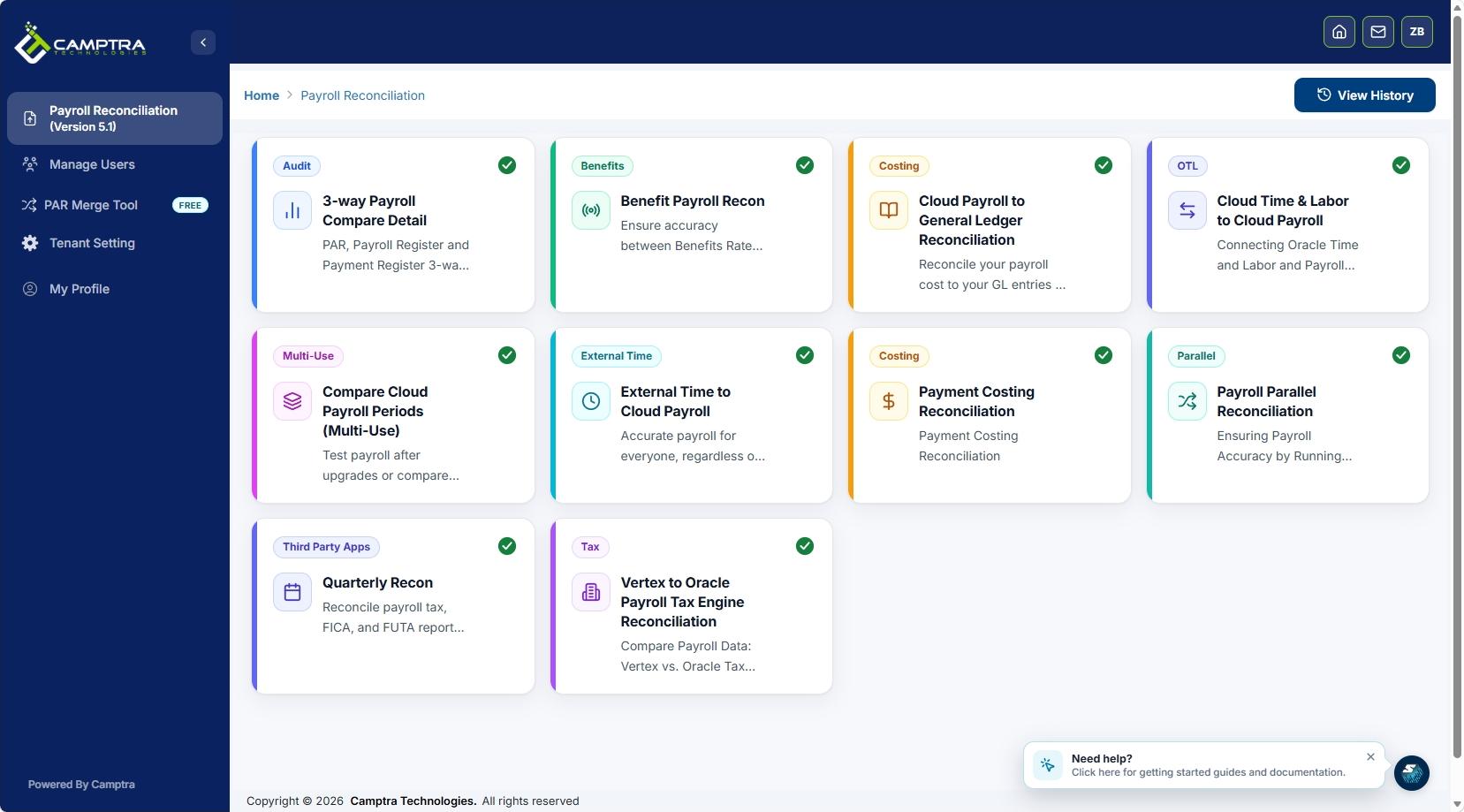
Camptra’s Payroll Recon Toolset connects directly to Oracle Cloud HCM outputs, including register reports and HCM Extract files, and automates reconciliation across time and attendance, payroll, benefits, costing, tax, and general ledger in a single workflow. Exception dashboards surface variances by PSU, TRU, and balance category without manual data preparation. Customers have reported significant reconciliation time reductions, which translate directly to earlier payroll cutoff and faster audit close.
The healthcare system case study shows what that looks like in practice: a high-volume Oracle Cloud Payroll environment that reduced audit preparation time and achieved its earliest financial close on record. The Vertex-to-OPTE migration case study demonstrates how the toolset handles parallel payroll validation during system transitions, where audit evidence requirements are even more demanding.
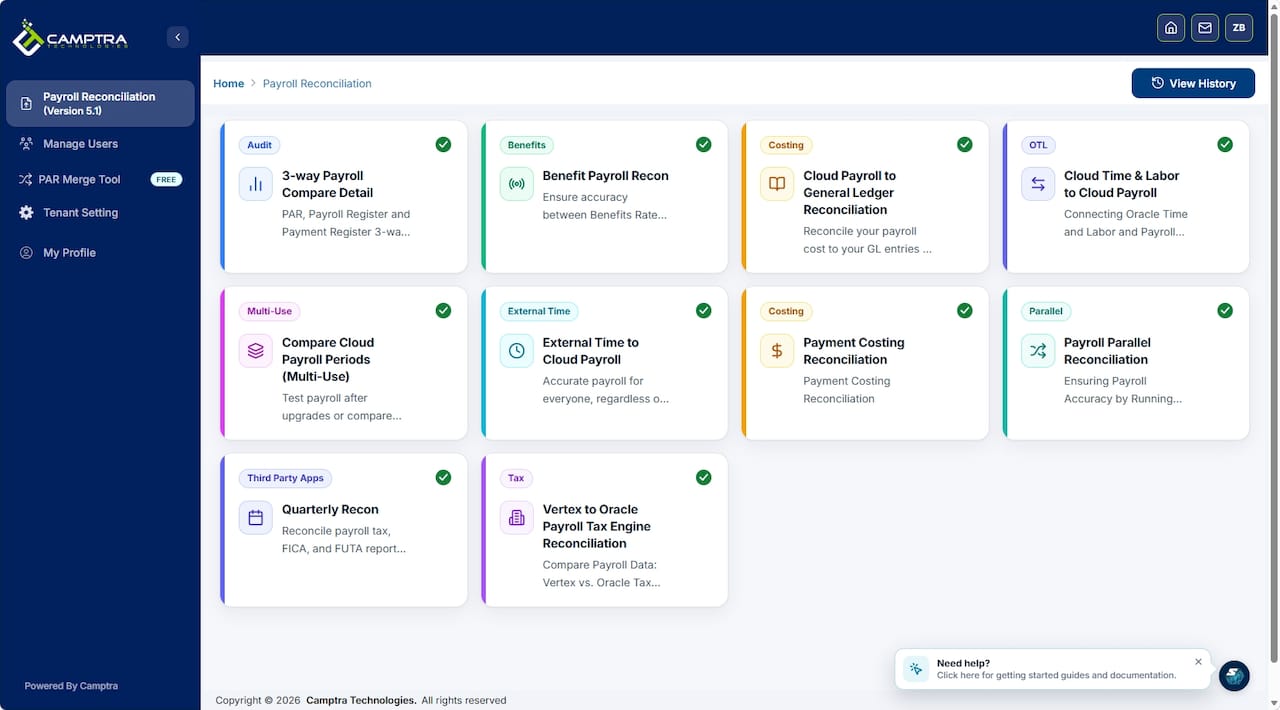
To see how Camptra’s Payroll Recon Toolset fits your environment, request a demo. Bring a sample extract file and a list of your most common exception types — the demo is most useful when it runs against your actual data patterns.
Sources
- Summary of Data Validation and Audit Reports
This article is general information, not a substitute for advice from a qualified financial advisor. Consult a qualified financial professional about your own circumstances before acting on anything here.
FAQ
What reports are required for Oracle payroll audit reporting?
The core set includes the Payroll Data Validation Report (pre-calc), Balance Exception Report (post-calc), Payroll Register Report, Payroll Activity Report, Payment Register Report (all post-archive), HCM Extracts for bulk data, Manage Audit Policies/Audit History for attribute changes, and the User and Role Access Audit Report for security evidence.
Why does the Payroll Register Report require a completed archive?
Oracle’s Periodic Payroll Register and Payment Register tasks read from archived payroll data. If the periodic payroll archive has not completed successfully, these reports will not reflect the audited period and may fail to run or return incomplete results.
What is the difference between Audit History and register reports in Oracle Cloud HCM?
Audit History (configured via Manage Audit Policies) records who changed a payroll business object attribute, what the before/after values were, and when the change occurred. Register reports record what the payroll calculation produced. Both are required for a complete audit package.
When should you use HCM Extracts instead of the Payroll Register Report?
Use HCM Extracts when your population is too large for a single register run to complete efficiently, when you need automated delivery to a downstream system, or when auditors require a structured data file. The Employee Payroll Balances and Run Results Extract template is the recommended starting point.
How does Camptra’s Payroll Recon Toolset support Oracle payroll audit readiness?
Camptra’s Payroll Recon Toolset connects to Oracle Cloud HCM register outputs and HCM Extract files, automates reconciliation across PSU, TRU, and GL, and surfaces exceptions through dashboards.
Recommended
- Oracle Payroll Activity Center and Multiuse Reconciliation: A Complementary Approach for Modern Payroll Teams | Camptra Technologies
- How to Identify Payroll Discrepancies: Audit Process Guide | Camptra Technologies
- From Uncertainty to Confidence: Why We Built the Oracle Cloud Benefits Payroll Reconciliation Tool | Camptra Technologies
- Payroll Reporting Accuracy Improvement Steps: 2026 Guide | Camptra Technologies
